Adobe and Topaz Labs: upscaling a video is not enough
Taking an old video to 4K is not an export setting: more pixels do not mean more detail. Adobe completed its acquisition of Topaz Labs on 23 September 2026, Topaz keeps its standalone products, and not everything will be in your subscription.

MoBenFreelance video creator
Contents
No, changing the export resolution does not make an old video look better: you get more pixels with the same flaws. The real work is deinterlacing, denoising, reducing artefacts, then upscaling with a suitable model. That is the specialty of Topaz Labs, which Adobe finished acquiring on 23 September 2026.
It happens often: a client sends me a video from fifteen years ago, shot on a camcorder or ripped from an old DVD, and asks for “the same thing in 4K”. Before saying yes, I need to explain what is possible, and what is not.
What changed between Adobe and Topaz Labs?
Adobe announced an agreement to acquire Topaz Labs on 25 June 2026, then confirmed the deal closed on 23 September 2026. Topaz Labs builds image and video enhancement models, and received a 2025 Emmy Award for its video technology, according to Adobe. Financial terms were not disclosed in the announcement.
What Adobe actually says:
- Topaz stays a brand. Its apps and models remain available as standalone products, on the Topaz website.
- Part of it is already at Adobe. Topaz technology is available in Adobe Firefly and Photoshop to upscale and enhance images and videos.
- More integrations are announced without dates. Archive restoration, low-light shots, phone clips, preparing content for the big screen: Adobe says “soon”, in more Creative Cloud workflows.
- The CEO joins Adobe. Eric Yang, CEO of Topaz Labs, joins Adobe’s Digital Video and Audio team, and support stays the same for customers of both companies.
“We’ve always believed that technology should serve human creativity rather than replace it.” Eric Yang, CEO of Topaz Labs, June 2026
What the announcement does not say: no prices, no bundles, no dates for each tool to land in Premiere or After Effects. So don’t assume all of Topaz is already included in your Creative Cloud subscription.
Upscaling vs enhancing a video: what is the difference?
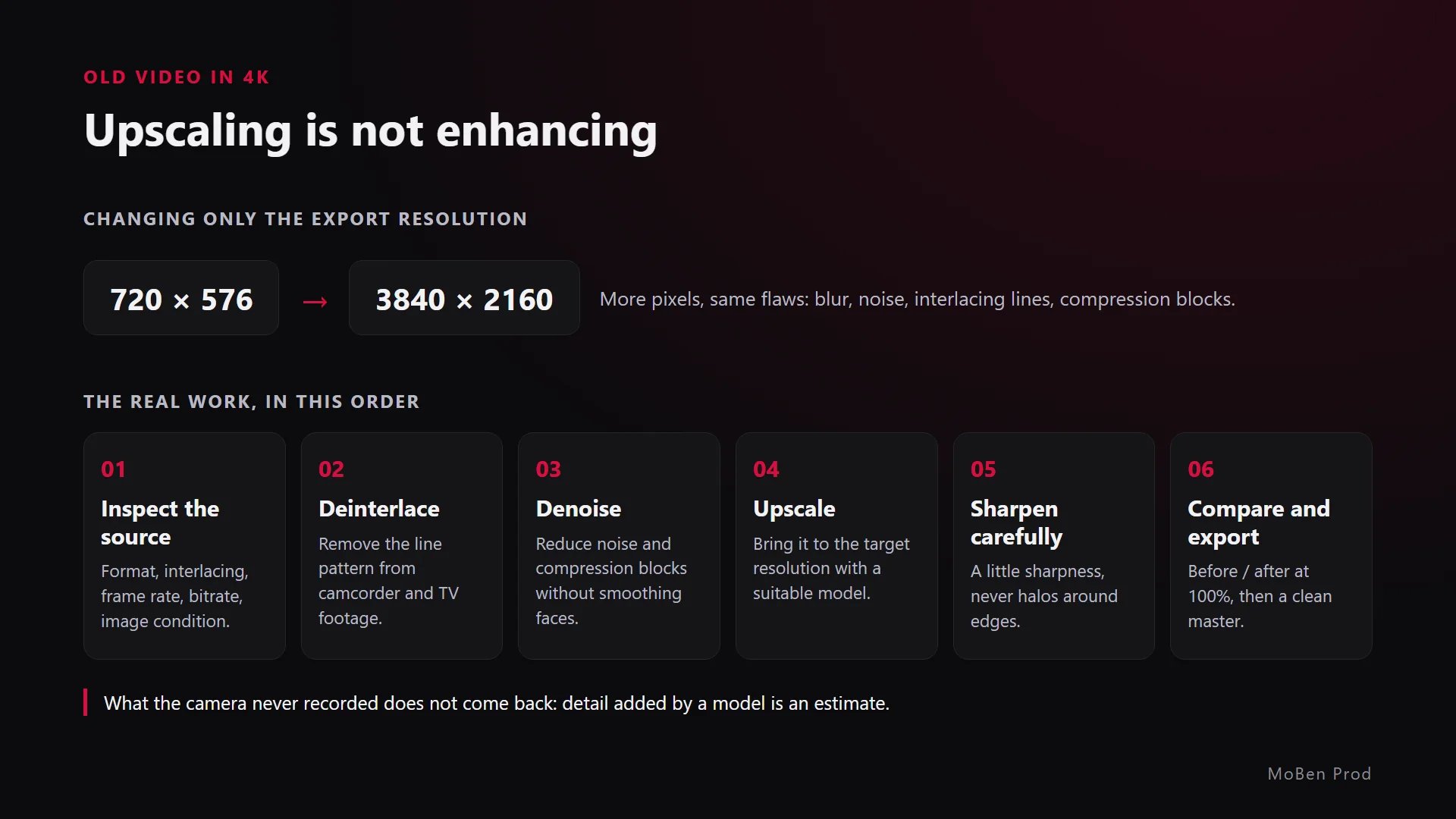
Upscaling means going from a small image to a large one, for example from 720 × 576 pixels (PAL DVD resolution) to 3840 × 2160 (4K UHD). A classic resize calculates the missing pixels from their neighbours. The result: a bigger image that is just as blurry.
Enhancing means treating the image’s flaws. AI models like Topaz’s analyse the image, often several frames in a row, to rebuild plausible detail. According to Adobe, Topaz offers models for upscaling, sharpening, stabilisation, frame interpolation, noise removal and restoration.
The words to know
- Deinterlacing: a lot of old camcorder and TV footage is interlaced, each frame is made of two half-images on alternating lines. Without treatment, comb-like lines appear on movement.
- Denoising: reducing digital grain in dark scenes without turning faces into wax.
- Compression artefacts: the blocks and smears of an over-compressed file, such as a video sent through a messaging app.
- Frame interpolation: creating in-between frames to smooth or slow down movement.
- Sharpening: strengthening edges. Too much creates halos.
How do you take an old client video to 4K?
This is my working order. It adapts to each source, but the logic stays the same:
- Inspect the source. I check resolution, frame rate, interlacing, codec and bitrate. I always ask for the file closest to the original: the digitised tape or the camera file, rather than a copy downloaded from social media.
- Deinterlace first. If the video is interlaced, this is step one, before any upscaling.
- Denoise and clean artefacts. Gently: too much cleaning wipes out the texture of skin and fabric.
- Upscale with a suitable model. Faces, archives, animation or generated footage do not call for the same model. I test a few difficult seconds before running the whole film.
- Sharpen carefully. Just enough for crispness, never halos around edges.
- Compare and export. I compare before and after at 100%, shot by shot, then export a clean master and the delivery versions.
On close-ups of faces, I check that the person still looks like themselves. A model that rebuilds features can slightly change a smile or a gaze, and that is exactly what a client notices first.

What can’t be fixed?
This is the part I explain to the client before starting:
- Detail that was never filmed. A face a few pixels wide in a wide shot does not become a sharp portrait. AI can suggest a plausible face, not recover the real one.
- Heavy focus blur. Sharpening models help with slight blur, much less with a shot that missed focus completely.
- Blown highlights. A sky or window that went white has no information left to recover.
- Damaged sound. Picture and sound are treated separately: a good upscale does not fix a distorted voice.
- Extreme compression. A video passed several times through messaging apps has lost a lot of information. The result will stay limited.
How do you set the client’s expectations?
- Show a before / after test on 10 to 20 representative seconds before quoting the full job.
- Say clearly that it is an enhancement and that some details are rebuilt.
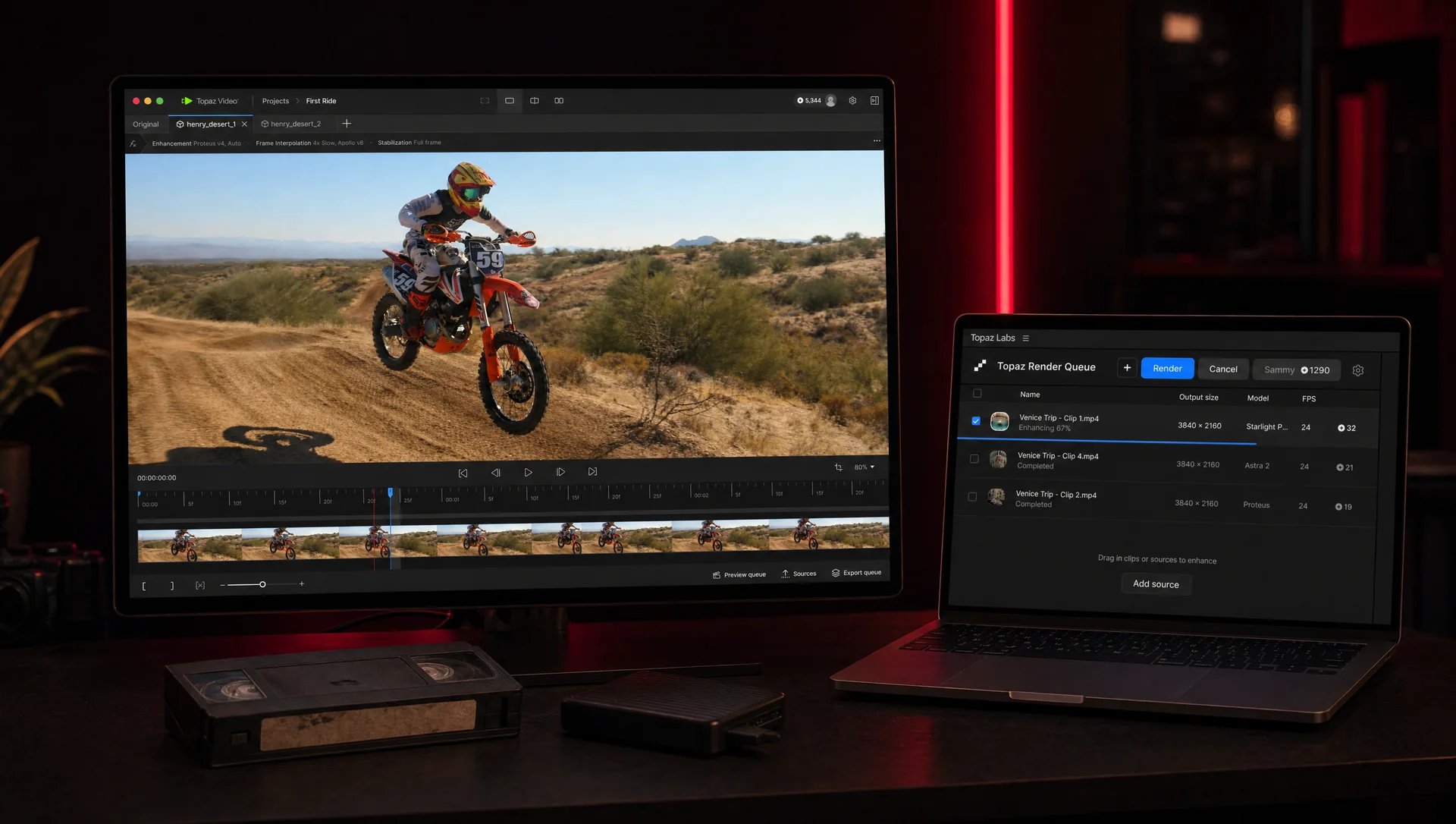
- Plan for render time: AI video enhancement needs a lot of computing power, locally or in a paid cloud.
- Suggest the right final resolution. Sometimes a clean HD version beats an artificial 4K.
If you are preparing this kind of project, my article on the brief to give a video editor helps you gather the right files. And for the place of AI in my day-to-day editing, I cover it in AI and video editing: what it speeds up, what stays human, where I already mentioned Topaz Video.
Which tools can upscale and enhance a video?
Here are the tools I checked on their official pages, with what each one does.
Topaz Video (Mac, Windows)
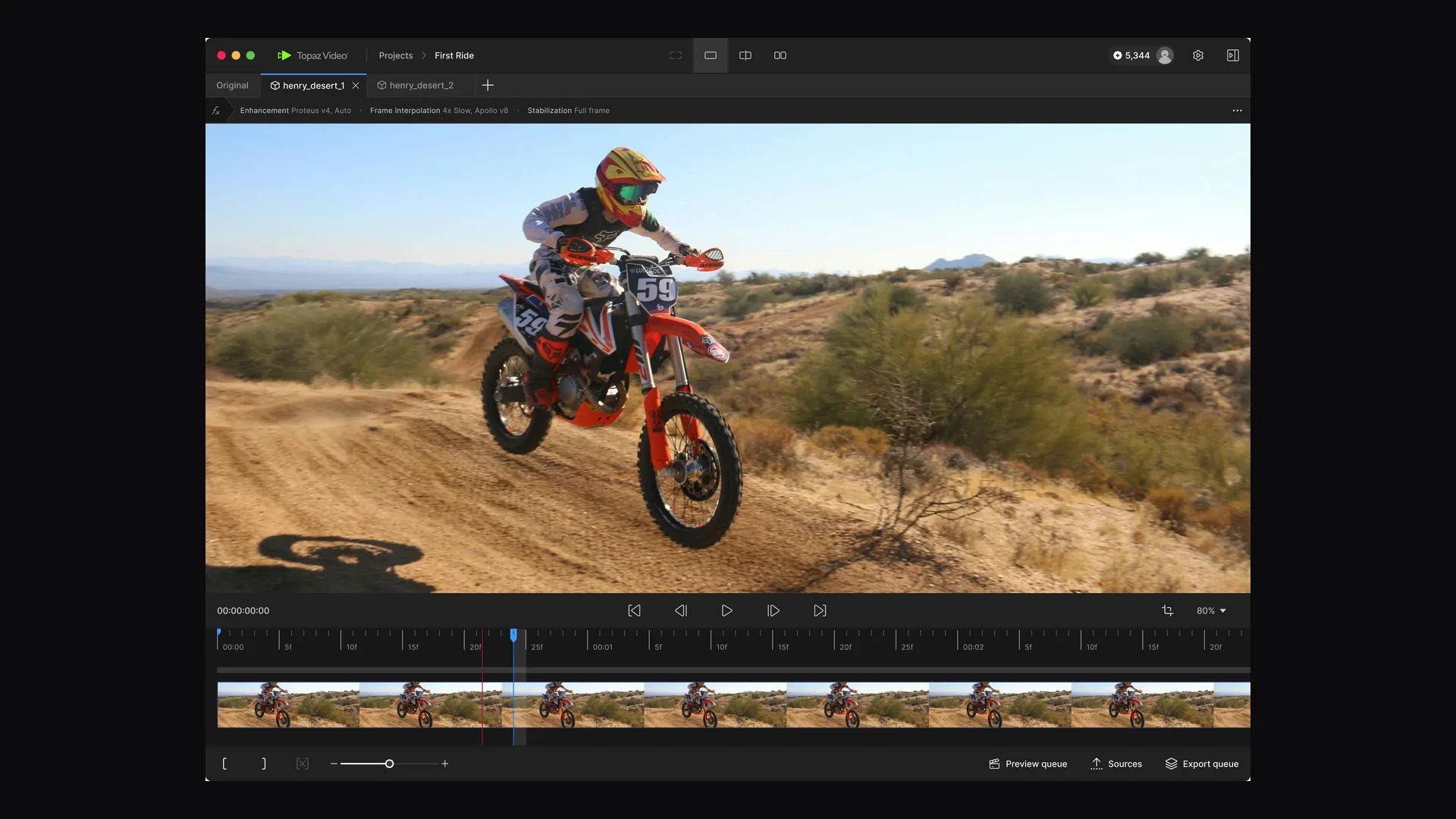
Topaz’s flagship software: over 20 models to upscale, denoise, restore, stabilise, slow down and interpolate, with deinterlacing. It runs on its own or as a plugin for After Effects and DaVinci Resolve, with local rendering or cloud rendering on credits (official page). Paid.
Topaz Labs for Premiere
A free panel for Adobe Premiere that sends your clips to the Topaz cloud to upscale, denoise or slow them down, then puts them back in the sequence on a new track. Processing requires a Topaz account and paid cloud credits (official page). Version 2.0 adds SDR to HDR conversion.
Astra
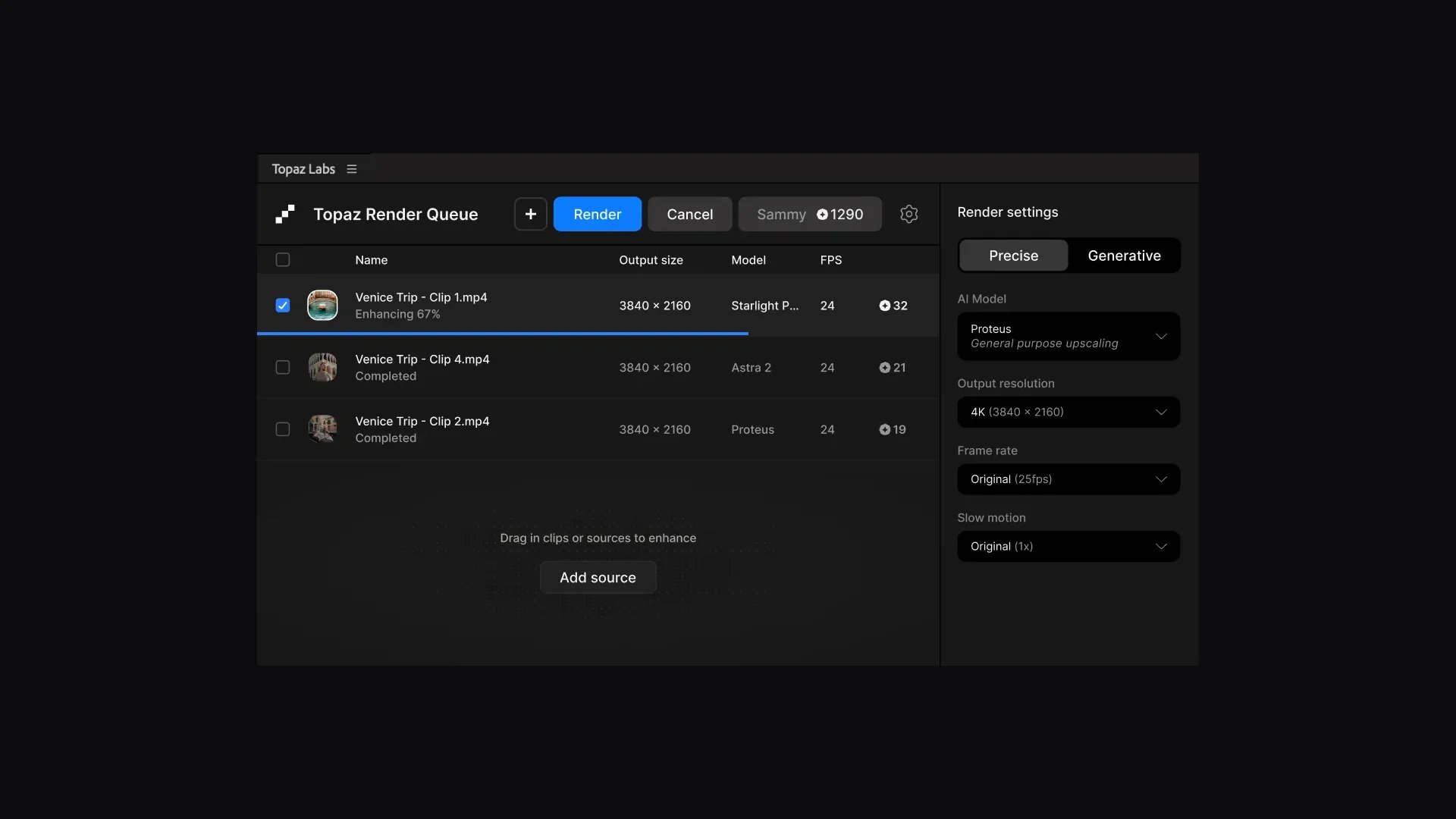
Topaz’s online tool to upscale videos, with a precise or a creative approach (official page). Handy when your computer is not powerful enough.
Adobe Firefly and Photoshop
According to Adobe, Topaz technology is already available there to upscale and enhance images and videos. It is the simplest option if you already subscribe, but check what your plan includes.
DaVinci Resolve Studio
The paid version of Resolve includes Super Scale to create 4K and 8K images from HD sources, UltraNR noise reduction, high-quality deinterlacing and Speed Warp for optical-flow slow motion (official page). These tools are not in the free version.
Video2X (free, open source)
A free tool for Windows and Linux that upscales and interpolates videos with models such as Real-ESRGAN, Real-CUGAN, Anime4K and RIFE (official repository). It needs a Vulkan-compatible graphics card.
FFmpeg (free, command line)
For the classic steps, with no generation: deinterlacing with the bwdif or yadif filters, denoising with hqdn3d or nlmeans, interpolation with minterpolate (filter documentation). Very useful to prepare a clean source before upscaling.

Frequently asked questions
Is Topaz now included in Creative Cloud?
Not entirely. Adobe says Topaz technology is available in Firefly and Photoshop and that more integrations will come, with no dates or prices announced. Topaz products are still sold separately.
Can any video become true 4K?
You can produce a 4K file from almost anything. But perceived quality depends on the source: a good HD video often gives a convincing result, a heavily compressed one much less.
Should you upscale before or after the edit?
I prefer to process the selected shots before the final grade: I don’t render useless minutes and I grade on the final image. For a small project, processing the exported final edit can be enough.
Will Topaz products disappear?
No, according to Adobe: the Topaz Labs brand remains, and its apps and models stay available as standalone products.
Got video archives to bring back to life? Let’s talk about your editing project: I start with a test to show you what can really be done.
Go further