Empire State AI trend: turn the flag into an ad visual
In early July 2026, a black banner unfurled atop the Empire State Building became a meme, and brands swapped its message for their own. Here’s how to use the trend with AI for your brand: a ready-to-use prompt, 3 images to download and the rules to follow.
MoBenFreelance video creator
Contents
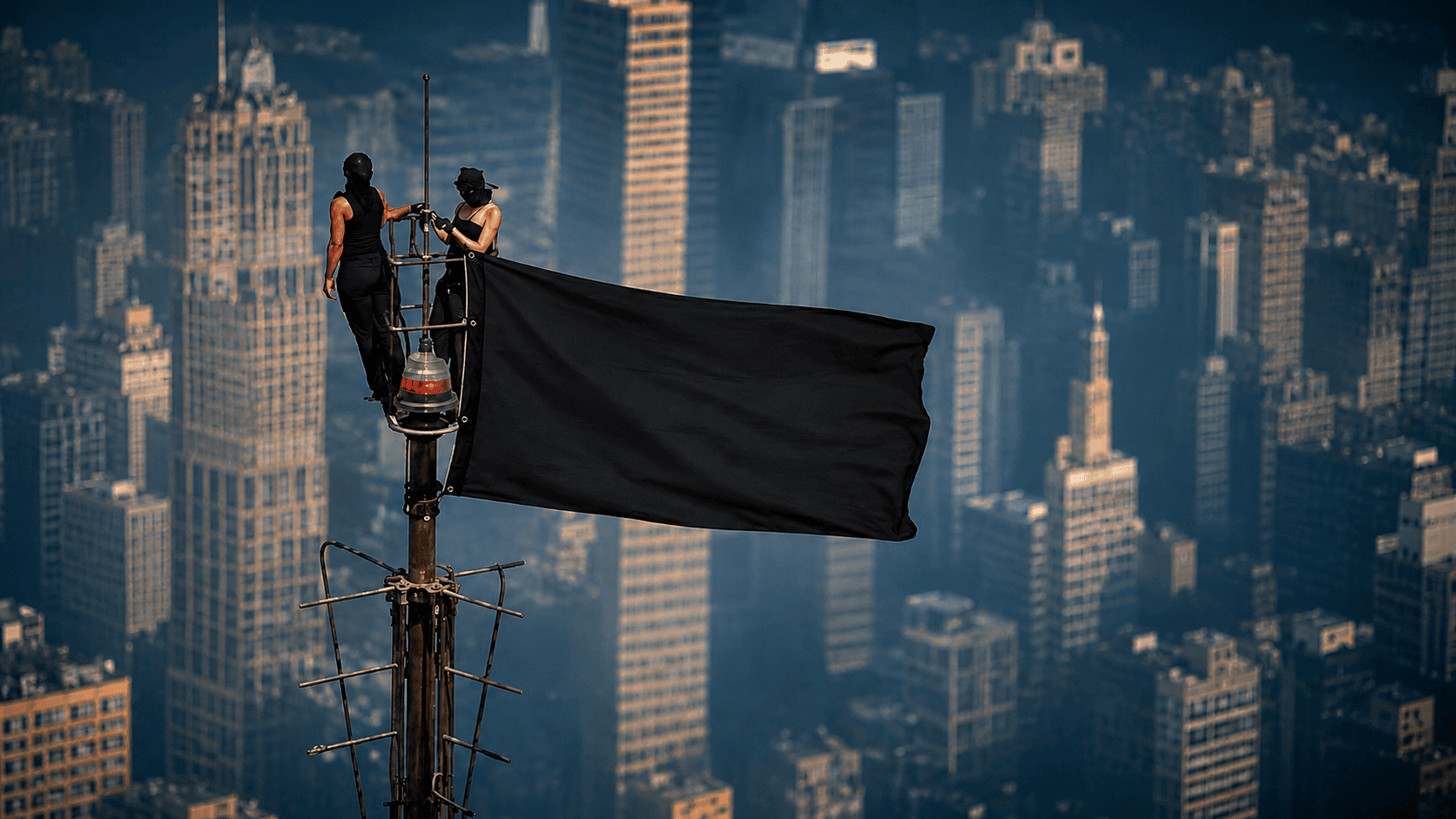
The Empire State AI trend reuses a scene that went viral in July 2026: two climbers at the top of the Empire State Building’s spire, holding a black banner with a white message. The idea is simple: keep the image and replace the message on the flag with yours. Below you’ll find a ready-to-use prompt, three base images to download (9:16, 4:5 and 16:9) and a method to turn them into an ad visual.
Where does the Empire State trend come from?
On July 1, 2026, a couple of Russian climbers made it to the spire of the Empire State Building in New York. They unfurled a black banner carrying a peace message in white letters, and a marriage proposal followed. Both were arrested when they came down.
Within hours, Canva, Cisco and Duolingo posted their own versions, rewriting the banner or replacing the couple with their mascot or product. In Kenya, public bodies and companies followed, and AI-generated doubles soon replaced the real climbers. The format works because it combines an image people already recognize, a sense of vertigo and a large empty surface ready to carry a message.
The ready-to-use prompt
Upload one of the base images below to an AI tool that can edit images, paste the prompt, then replace the Moroccan Darija line “DIR LI BGHITI HNA HTA NTA” (“put whatever you want here, you too”) with your message.
Use the provided image as the exact base image. Do not change anything in the image at all: keep the same composition, framing, crop, people, pole, skyline, background, lighting, color grading, flag size, flag position, and fabric texture exactly as they are.

Only add the text “
DIR LI BGHITI HNA HTA NTA” on the black flag.
The text must be very bold, very thick, fully uppercase, clean, and highly readable, using a strong sans-serif style. It must be placed realistically on the flag, as if it is actually printed or painted on the fabric. The text orientation must follow the natural direction, angle, and flow of the flag, matching the flag’s perspective and adapting subtly to the fabric folds and movement so it looks fully realistic and integrated into the material.
Use white or slightly off-white text for strong contrast against the black flag.
Do not add or remove anything else. Do not alter any other part of the image. Do not add logos, symbols, extra graphics, or any other text.
The prompt locks everything else (framing, people, light, color grading) so the AI doesn’t reinvent the scene. Keep your message to a few words and check every letter of the generated text.
The 3 images to download, and where to use each format
Three crops of the same scene with a blank black flag: pick one based on where the visual will run and download the PNG.
9:16 format: Reels, TikTok, Shorts and Stories
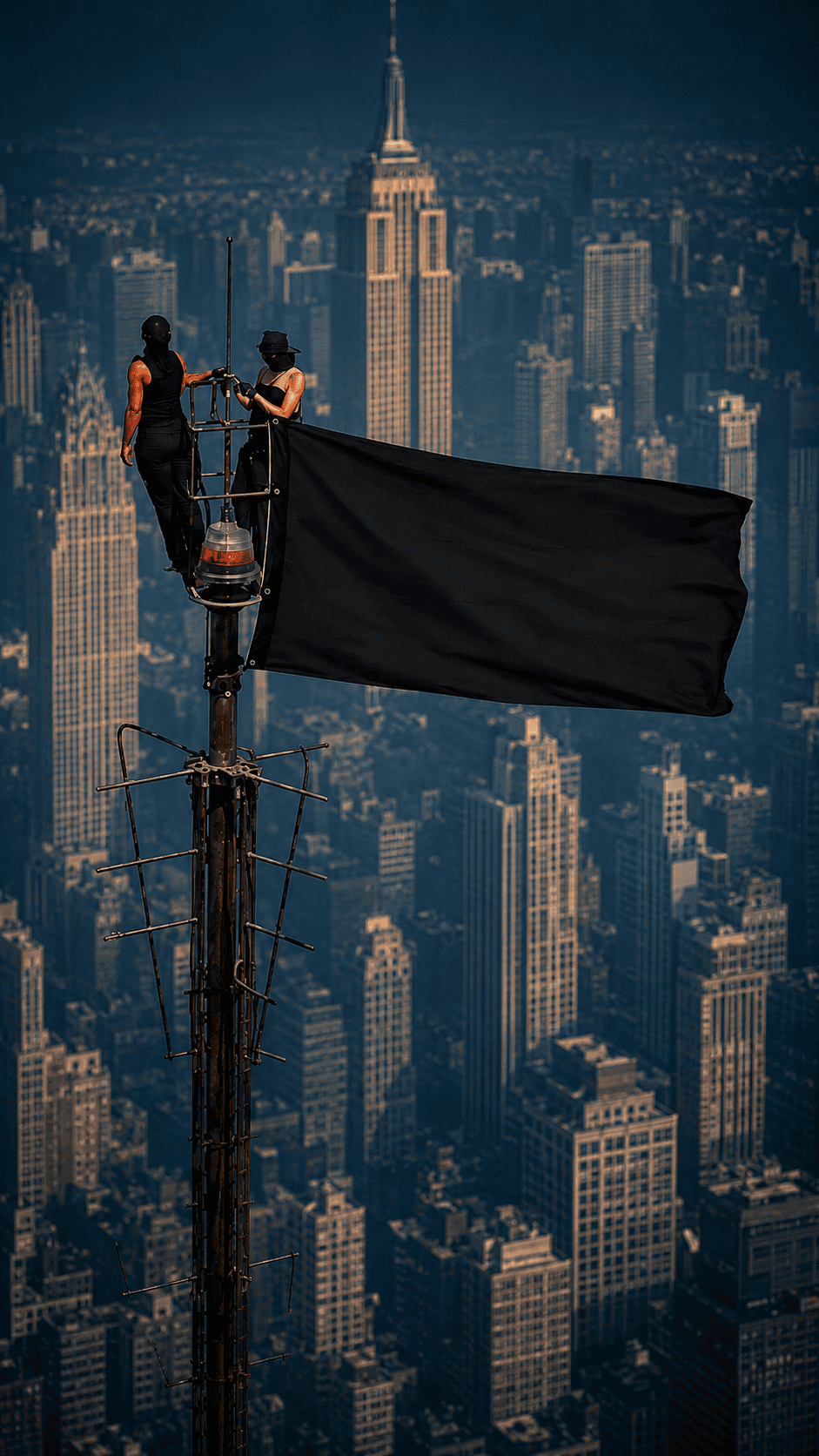
Download the 9:16 image (PNG, 941 × 1672 px)
4:5 format: Instagram and Facebook feed
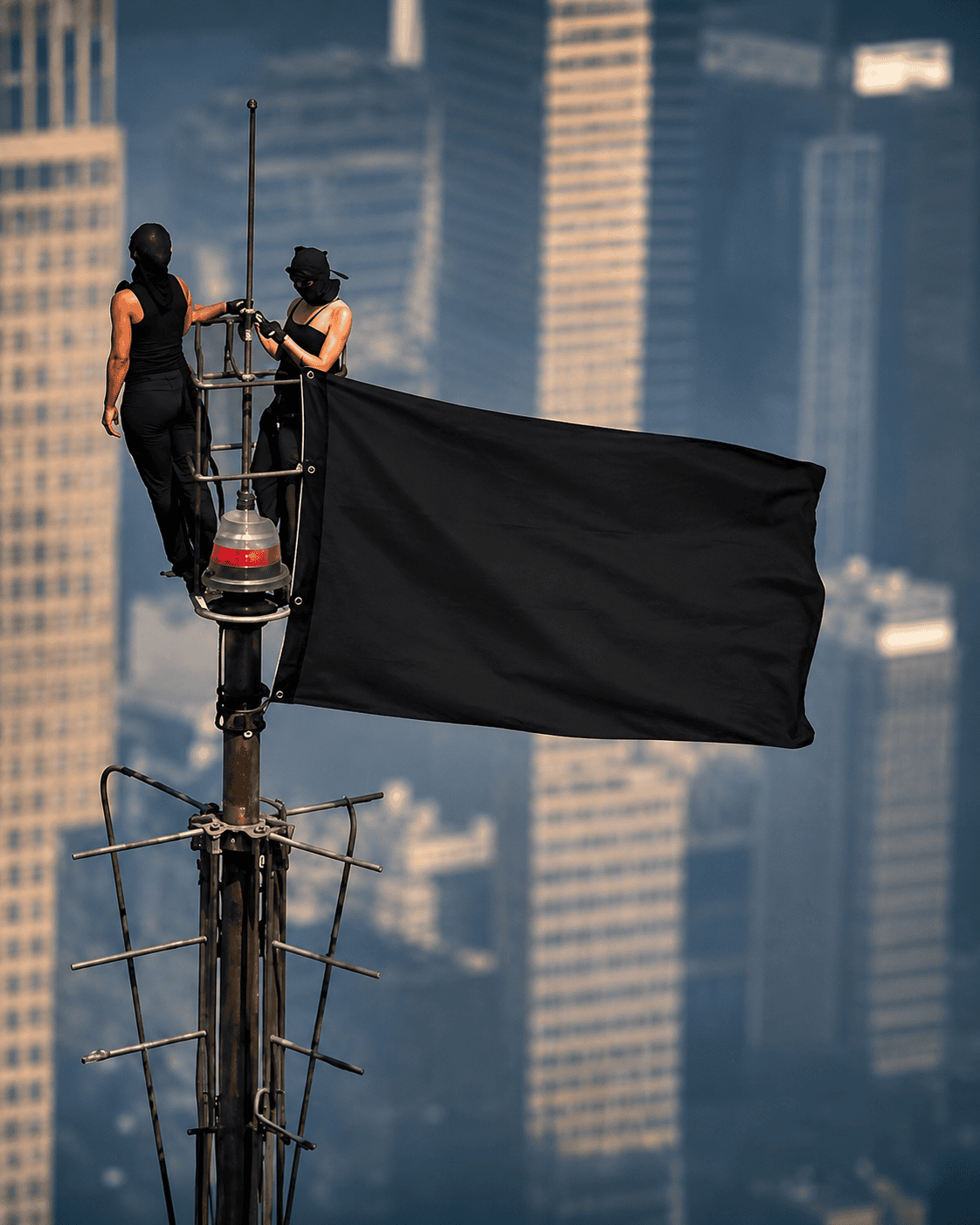
Download the 4:5 image (PNG, 1122 × 1402 px)
16:9 format: YouTube, websites and banners
Download the 16:9 image (PNG, 1672 × 941 px)
Adapting the prompt to your brand
To go further than text on a flag, structure your prompt: anything you leave out, the AI decides for you.
- Subject: an anonymous pair, a model or your product itself at the top.
- Setting: the New York skyline or a city your audience recognizes.
- Light: golden hour for a perfume, blue night and neon for a rooftop.
- Camera: telephoto, press-photo style, or a top-down drone shot for vertigo.
- Style: photorealistic, documentary, plus what you don’t want (stray logos, extra text).
- Brand elements: flag color, message, typeface; add your real logo in the edit.
- Aspect ratio: 9:16, 4:5 or 16:9, stated in the prompt.
Examples: a perfume bottle in place of the pair, in golden light; a ring catching the light for a jewelry brand; a red flag and three words for Valentine’s Day; the night scene with tonight’s offer for a rooftop restaurant.
Rights, brand safety and AI disclosure
- Not the original photo: it belongs to its authors. Start from a generated image or your own shoot.
- No lookalikes of real people: replace the pair with anonymous models or with your product.
- The right tone: the real climb was illegal and dangerous. Go for humor or emotion, without presenting it as a feat to copy.
- The building: its image is registered as a trademark by its owner. If it becomes the core of a paid campaign, check first.
On the platform side, TikTok requires the AI-generated content label or a clear disclaimer on any ad whose images, video or audio are AI-generated or significantly modified by AI, or the ad may be rejected or restricted; the same policy bans using a public figure’s likeness without permission. Meta adds information to ads it detects as made with third-party AI tools, and self-disclosure is still required in certain cases for social issue and political ads. When in doubt, disclose.
Animating the visual into a Reel or a video ad
Import the final visual into an image-to-video tool (Runway, Kling or Veo, for example) and ask for minimal motion: the flag rippling, everything else still, a slow push-in. You get a shot a few seconds long, ready to edit:
- Open on the message, readable from the first second: it’s your visual hook.
- Add sound (wind, city noise, rising music): it’s what makes the scene believable.
- End on the product, the logo and a clear call to action.
- Export in 9:16 with text outside the areas covered by the interface (see the safe zone on Reels and TikTok).
AI speeds up generation, but pacing, sound and message are still editing work, as our article on AI in video editing explains. To pick your generators, see AI tools for video editing and graphic design. And for a ready-to-run ad, see the video ads service.
Key takeaways
- The trend: keep the viral scene and change the message on the flag.
- The prompt only edits the text: give it a short message.
- A brand prompt sets subject, setting, light, camera, style, brand elements and ratio.
- No original photo, no lookalikes, and an AI disclosure on ads.
- Animated and sound-designed, the visual becomes a Reel or a short ad.
FAQ
What is the Empire State AI trend?
It’s a meme that started on July 1, 2026, when two climbers unfurled a black banner atop the Empire State Building. Brands and users reworked the scene by changing the message on the flag, first with photo edits, then with AI. Another version also circulates: the AI selfie at the top of the spire.
Can I use the Empire State trend in a paid ad?
Yes, with three precautions: start from a generated image or your own shoot rather than the original photo, avoid any lookalike of the real climbers or of a public figure, and disclose AI use. TikTok requires it for ads that are AI-generated or significantly modified by AI, and Meta flags the ones it detects.
Why does the AI misspell the text on the flag?
Image generators handle short, common words better than long sentences or Darija written in Latin letters. Shorten the message, regenerate a few times and check every letter. If it still looks off, keep the flag blank and add the text yourself in the edit, in Photoshop or in Canva.
Go further