3 video editing inspiration websites for videomakers and editors
Vidclue for the idea and format, Cosmos for the visual world, Showreel.design for motion design: three free video editing inspiration websites, what each one gives you, how to use them on a real project, and a routine to turn what you find into a moodboard.

MoBenFreelance video creator
Contents
- 1. Vidclue: find the idea and format for a short-form video
- 2. Cosmos: build the visual world and the moodboard
- 3. Showreel.design: motion design inspiration for your graphics
- Vidclue, Cosmos or Showreel.design: which one should you use?
- How to turn inspiration into a moodboard or reference deck
- Take inspiration without copying: questions to ask of every reference
- Key takeaways
- FAQ
If you want video inspiration without losing hours to scrolling, three video editing inspiration websites cover the three things every project needs: Vidclue for the idea and format, Cosmos for the visual world, and Showreel.design for motion design and on-screen graphics. All three are free to browse.
In this guide: what each site offers, how to use it on a real project, what’s free and what’s paid (checked on the official sites in October 2026), a routine to turn your finds into a moodboard or reference deck, and the questions to ask so you take inspiration without copying.
1. Vidclue: find the idea and format for a short-form video
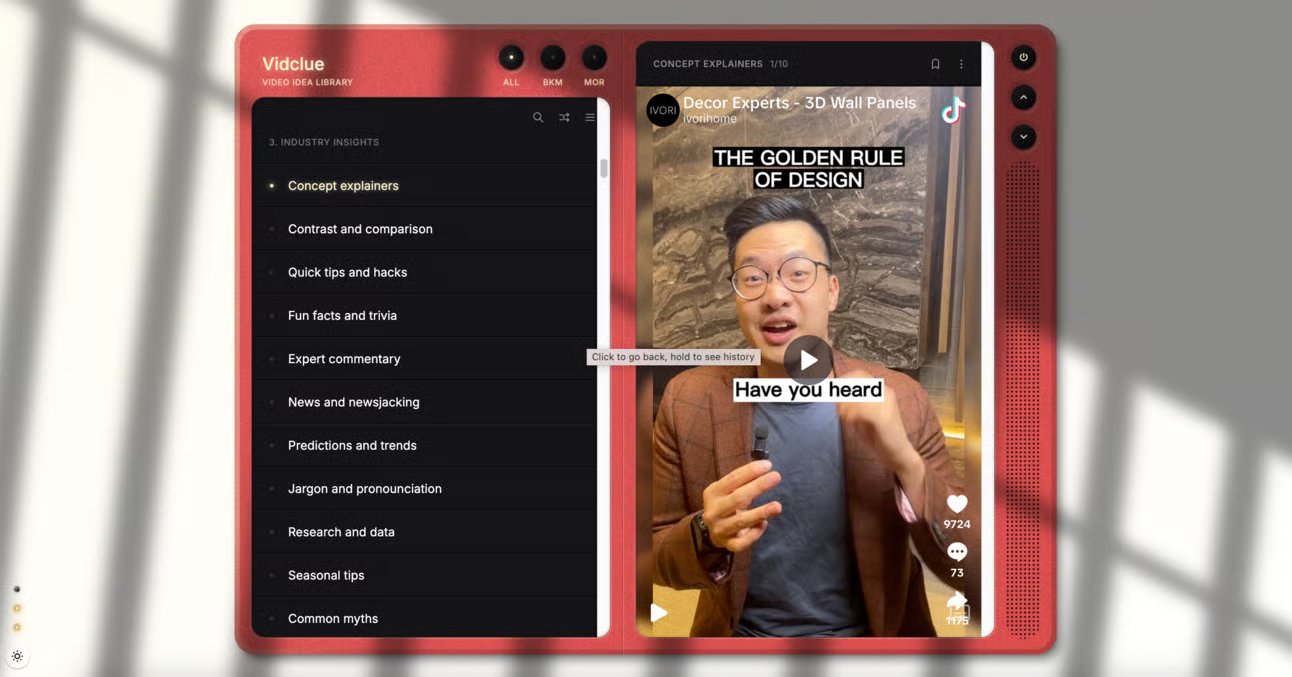
Vidclue describes itself as a library of short-form video inspiration for brands and businesses. In practice, it’s a catalog of more than 200 format ideas sorted into 17 categories: educational styles, comedy formats, internet trends, motion techniques, shot angles, camera movement, product spotlight, behind the shoot, event videos and more.
What you’ll find there
Each idea comes with a short description followed by around ten examples of real videos, mostly brand TikToks. Under each example, one line explains why it illustrates the idea. You can search for an idea, pull one at random or bookmark it.
How to use it on a project
- Start from the client’s goal: explain a service, present a product, show what happens behind the scenes, cover an event.
- Open the 2 or 3 categories that match it, for example “Product spotlight” for a launch or “People and culture” for employer branding.
- Watch the examples like an editor: what happens in the first two seconds, where the on-screen text sits, the pacing of the cuts, how the CTA comes in.
- Rewrite the idea with your client’s product, tone and audience, then turn it into a shot-by-shot edit structure.
The first seconds often decide everything else: to work on them, pair this with our guide to visual hooks for Reels and Shorts.
Free or paid?
Free, no sign-up. Its limits: most examples come from English-speaking brands, and many aren’t recent. Treat it as a library of formats, not a trend radar: for what’s trending right now, nothing beats the feed of the platform you’re targeting.
2. Cosmos: build the visual world and the moodboard
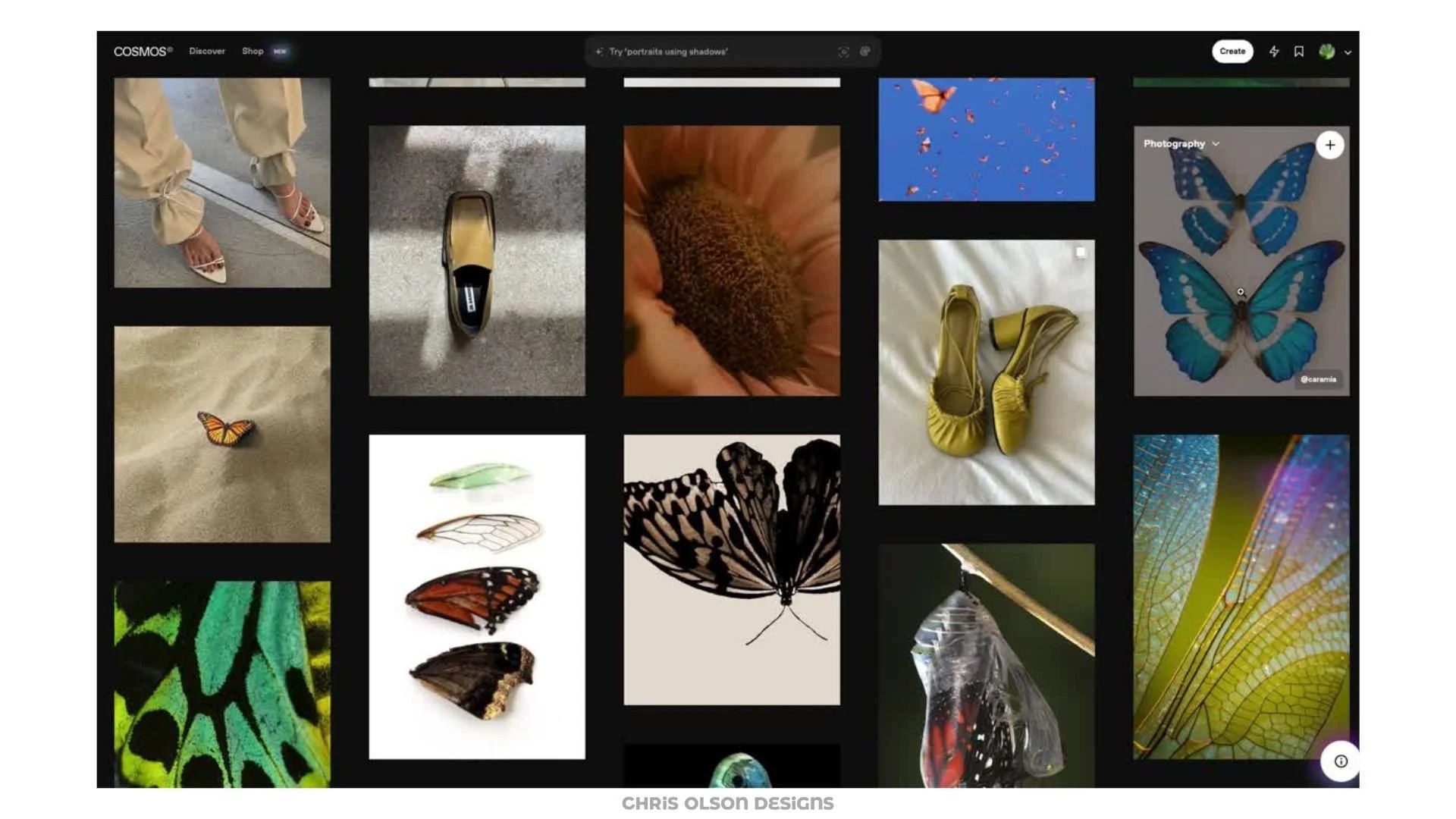
Cosmos is a visual inspiration platform for creatives: you save, organize and search images, links, videos, articles and text, with no ads. It isn’t a video tool, but it’s where you lock in a project’s look: lighting, palette, framing, textures, typography.
What you’ll find there
- search by keyword, by color or by similarity: start from one image and Cosmos suggests visuals that are close to it;
- collections you can share and build together, handy when you work with a client or a director of photography;
- Chrome and Safari extensions to save an image while you browse, plus an iOS app;
- import from Pinterest, Are.na or Tumblr, if you already have a reference library elsewhere;
- a setting to show, blur or hide AI-generated images, and attribution that helps you trace who made an image.
How to use it on a project
Create one collection per project. Search by lighting and mood first, then lock in the palette with color search. Keep 15 to 25 images at most and ask what each one gives you: lighting, framing, color or typography. That collection then becomes your reference on set and during color grading.
Free or paid?
The free plan gives you the core features: saving, organizing, searching, discovering and collaborating. A Premium plan at $8 a month adds advanced tools (price shown by Cosmos in October 2026). If you’re coming from Pinterest, the difference is obvious: no ads, and your boards import directly.
3. Showreel.design: motion design inspiration for your graphics
The first version of this article recommended Showreelz, a gallery of design and motion design videos. The site is no longer reachable (checked in October 2026), so Showreel.design now fills the same role.
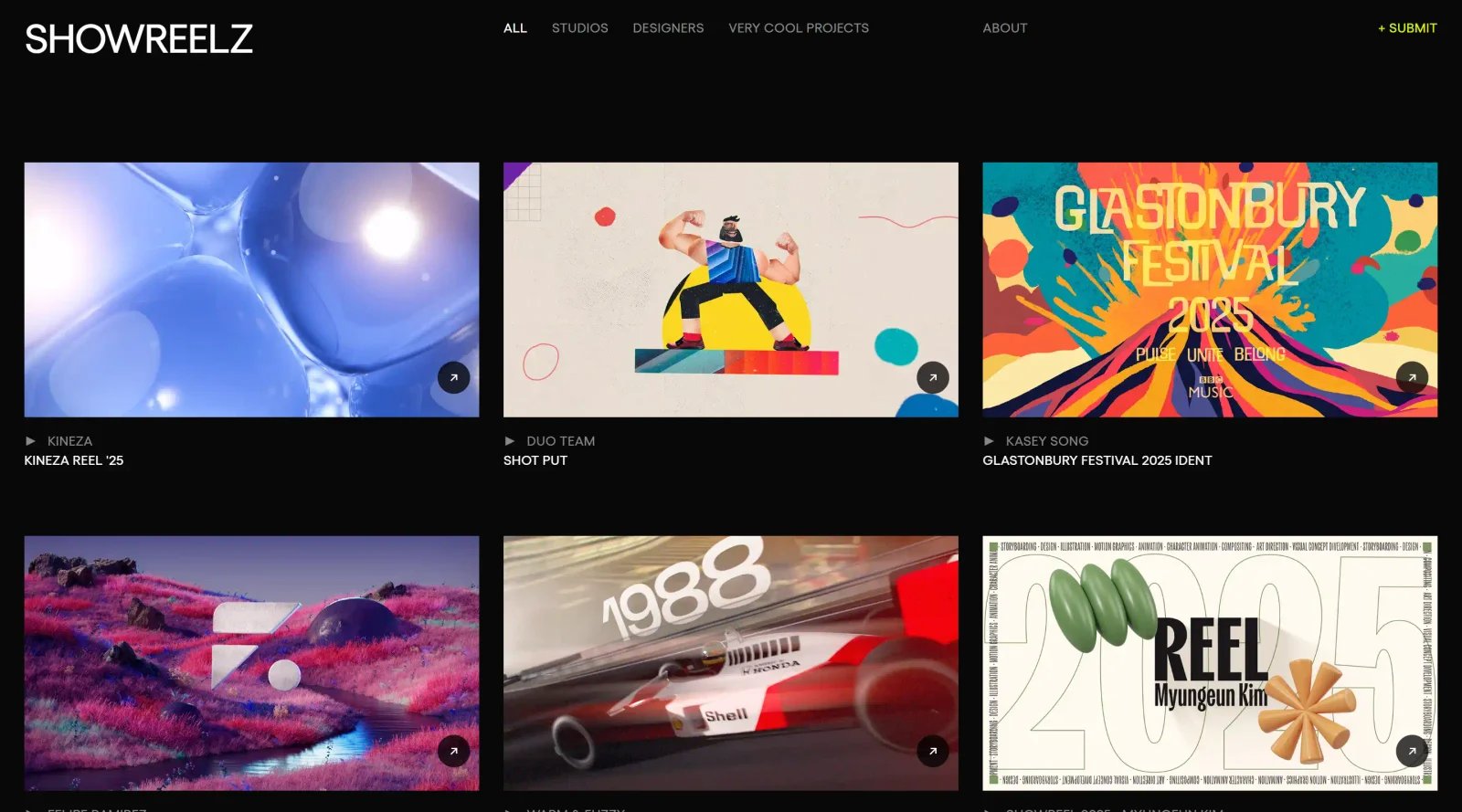
Showreel.design is an archive of motion design showreels from studios and creators around the world. Every reel is handpicked and the collection is updated every week: just over 240 reels in October 2026, plus a section of logo animations and another of product and brand launch videos.
What you’ll find there
Categories (Motion Graphics, 3D / CGI, studios and agencies, UI/UX motion, branding and identity) and, above all, three filters that matter to an editor: by industry (advertising, automotive, fashion and luxury, tech, sports, healthcare…), by style (minimal, cinematic, retro, hand-drawn, playful…) and by type of sound (ambient, electronic, orchestral, sound design, voice-over…).
How to use it on a project
Filter by your client’s industry and the style you’re after, then watch each reel twice: once with sound, once without. Note how the titles come on screen, what motivates each transition (a movement, a shape, a color match) and where the sound hits land. That gives you a mini graphics guide: title, lower third, transition, end card. To try those ideas quickly in your timeline, our free transitions pack makes a good starting point.
Free or paid?
Free, no account needed. You can also suggest a reel through the form on the “About” page. The site points out that the videos remain the property of their creators: you study them, you don’t reuse them.
Vidclue, Cosmos or Showreel.design: which one should you use?
They don’t replace each other; each one comes in at a different stage of the project:
- Vidclue, upstream: find the idea, format and structure of a short-form video before you write the brief or script.
- Cosmos, before the shoot: lock in the lighting, palette, framing and color grading references.
- Showreel.design, before and during the edit: define the graphics package, animated titles and transitions.
How to turn inspiration into a moodboard or reference deck
A pile of bookmarks is useless until it’s sorted. Here’s a simple routine to run before every project:
- Write the brief in one sentence: goal, audience, platform and length. For example: “A 30-second Reel introducing a restaurant’s new menu to local customers.”
- Collect fast, against the clock: 30 to 45 minutes for a few format ideas on Vidclue, around twenty images on Cosmos and 3 to 5 reels on Showreel.design.
- Cut ruthlessly: keep 2 or 3 format references, 8 to 12 images and 2 or 3 motion clips. If you can’t say why a reference is there, delete it.
- Annotate every reference: what you’re taking from it (the pacing, the lighting, the way a title comes in) and what you’re leaving out.
- Build the deck: one page for the goal, one for format and structure, one for palette and lighting, one for typography and motion, and one for “what we won’t do”. A Cosmos collection, a Figma page, Canva or a few slides is all you need.
- Get it approved before you shoot or edit: that’s when changing direction costs the least.
If you hand your project to a freelancer or studio, this deck becomes the best brief you can give: it replaces paragraphs of description with concrete examples and cuts down the back-and-forth in video editing and post-production.
Take inspiration without copying: questions to ask of every reference
The goal isn’t to reproduce what you see, but to understand why it works. In front of a reference, ask yourself:
- What grabs attention in the first two seconds?
- How does the edit create rhythm: shot length, cuts on the beat, breaks?
- Which visual choices make the video look professional: lighting, framing, color, typography?
- Where does the text sit on screen, and how long does it stay?
- How is the CTA brought in?
- Which principle can I apply to my project, with my footage, my message and my audience?
Keep the principle, never the material: don’t put someone else’s footage, music or animations in your edit. If you’re short on footage to test a style, use licensed stock videos. And if you’re just starting out, the line between inspiration and plagiarism is covered in our guide to finding your style in video editing.
Key takeaways
- Vidclue helps you find the idea and format for a short-form video, Cosmos sets the visual world, Showreel.design defines the motion design.
- All three are free; only Cosmos offers a paid Premium plan, and it’s optional.
- Showreelz, featured in the first version of this article, is no longer online: Showreel.design replaces it.
- A collection of references is only worth something once it’s sorted, annotated and assembled into a deck.
- Keep a reference’s principle (pacing, lighting, structure), never its footage or music.
FAQ
What’s the best inspiration website for a video editor?
There isn’t just one: it depends on the stage. To find a short-form format or structure, Vidclue is the most direct. For graphics, animated titles and transitions, Showreel.design is more useful. For the overall look (lighting, palette, framing), Cosmos is the best of the three. The most effective approach is to use them together, in that order.
How do you make a moodboard for a video?
Start from a one-sentence brief (goal, audience, platform, length), collect references against the clock, then sort: 8 to 12 images for lighting and palette, 2 or 3 format examples, 2 or 3 motion clips. Annotate each reference in one line and group everything on a few pages. Get the moodboard approved before the shoot, not after.
Cosmos or Pinterest for a video moodboard?
Both work. Pinterest has a huge catalog but shows ads and a lot of generic content. Cosmos is built for creatives, with no ads, color and similarity search, and a setting to hide AI-generated images. It also imports your Pinterest boards, so you can try it without starting from scratch.
Is taking inspiration from a video the same as copying?
No, as long as you borrow a principle and not a piece of work. Analyzing a video’s structure, pacing or lighting to adapt them to your project is an editor’s normal job. Copying it shot for shot, reusing someone else’s footage, music or animations, or passing their idea off as yours is something else: that’s where you cross the line.
Go further