Visual hooks: 10 ideas to stop the scroll on Reels, TikTok and Shorts
A visual hook is the image or movement that opens your video and stops the thumb before a single word is heard. Here are 10 practical visual hook ideas for Reels, TikTok and Shorts, how to pick the right one, how to test it with your analytics, and 7 sites for inspiration.

MoBenFreelance video creator
Contents
A visual hook is the image, movement or action that opens your video and gives viewers a reason not to swipe, before they hear a word or read a caption. On Instagram Reels, TikTok and YouTube Shorts, the first few seconds decide whether your video gets watched or skipped. In this guide: 10 visual hook ideas that are easy to shoot, how to choose the right one for your message, a simple way to test them, the mistakes to avoid and 7 sites for inspiration.
What is a visual hook?
The hook is the very start of a short video: its job is to stop the scroll and plant a question in the viewer’s mind. There are three ways to build one, and the best Reels combine them:
- the visual hook: what people see in the first frame (a movement, a result, a detail, a reaction);
- the text hook: the line shown on screen, readable in one second;
- the verbal hook: the first sentence spoken in voice-over or to camera.
Example: the verbal hook says “This mistake is ruining your videos.” At the same moment, the visual hook shows that mistake on screen and the text sums it up in three words. The image registers before the sound and before any reading, which is why the visual usually does most of the work.
What TikTok, Instagram and YouTube say about the first seconds
All three platforms point to the very start of the video, in their guidelines and in their analytics tools:
- TikTok advises, in its creative best practices for ads, introducing your proposition in the first 3 seconds (for recall and awareness) and prioritizing your hook in the first 6 seconds (for engagement and watch time). TikTok also explains that watching a video from beginning to end is one of the strong signals in its recommendations.
- Instagram lists the likelihood that you’ll watch a reel all the way through among its most important predictions for Reels. Each Reel’s insights also show a “skip rate”: the share of views where people skipped the reel during the first 3 seconds.
- YouTube recommends, in its guide to getting started with Shorts, capturing attention in the first few seconds to keep viewers from scrolling. YouTube Studio also tracks how often viewers stayed past the initial seconds of each Short.
The practical takeaway: your visual hook has to work from the first frame, and the video’s promise should be clear before the three-second mark. The rest of the Reel is there to deliver on that promise, through the pacing of the edit.
10 visual hook ideas for Reels, TikTok and Shorts
Every one of these ideas can be shot on a smartphone. What matters isn’t the effect, it’s the direct link between the first frame and the subject of your video.
1. The striking shot
Open with the strongest image in your video, not with context. Instead of explaining a transformation, show the final result for one second, then go back to the beginning with on-screen text like “How I got here.”
In the edit: find the most spectacular shot in your footage, place it at the head of the timeline and cut after roughly one second. Ideal for editing, design, cooking, sports, beauty, renovation or video production content.
2. The before/after
The before/after is one of the simplest and clearest hooks: the brain instantly understands that a transformation is coming. It works especially well for:
- color grading;
- a raw cut versus the final edit;
- dynamic captions;
- photo retouching, design or branding;
- motion graphics added to a video.
In the edit: keep exactly the same framing for the before and the after (tripod or stabilized shot) and reveal the after with a wipe or a split screen within the first second. If the frame moves, the difference becomes hard to read.
3. Movement toward the camera
An object, a hand, a phone, a product or a person moves quickly toward the lens. This hook creates a sense of closeness and motion that breaks the stillness of the feed. It works well for product videos, lifestyle Reels, transitions and talking-head content.
On set: the subject should fill the frame in under a second. A touch of motion blur and a well-timed whoosh add impact; you’ll find that kind of sound in the blog’s free SFX pack.
4. The change of scenery
You start in one place, then a quick transition reveals a completely different setting. The classic version: a hand covers the lens, cut, the hand pulls away on a new location. This format works very well for travel, fashion, restaurants, business or personal storytelling.
On set: film both shots with the same movement (same direction, same speed, same camera height) so the cut feels invisible.
5. Bold on-screen text
Text becomes a visual hook when it’s short, easy to read and placed in the right spot. Examples:
- “Stop making this mistake.”
- “Watch this detail closely.”
- “This shot changes everything.”
- “Before you post your Reel, check this.”
- “The camera isn’t enough.”
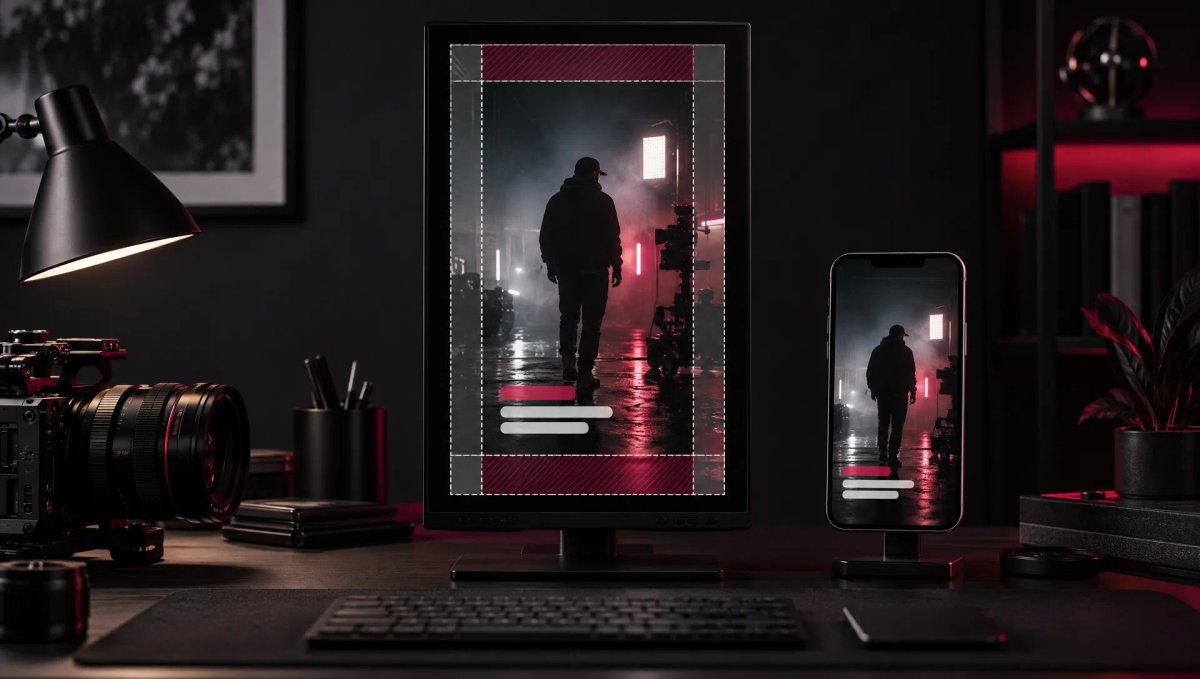
The text has to be read in under a second: aim for 3 to 7 words (TikTok recommends showing 5 to 10 words per second when you use text), strong contrast and a position inside the safe zone for Reels, TikTok and Shorts so the interface doesn’t cover it.
6. The staged problem
You deliberately show a mistake or a failed situation in the very first frame, then explain how to fix it. It’s a very effective hook for educational videos, because viewers recognize the problem before anyone names it. Examples:
- a caption placed outside the safe zone;
- an edit that drags;
- a badly framed shot;
- distorted or muffled audio;
- a logo hidden by the interface;
- a video with no rhythm.
7. The final result up front
You show the best result at the start, then walk through the process. A line to go with it: “Here’s the final result. Now I’ll show you how I made it.”
This hook suits video editing, motion design, AI image generation, graphic design, photo retouching and any tutorial. It differs from the striking shot: here, the whole video works as the making-of for the result shown at the start.
8. The impossible transition
You open with an action that looks impossible: an object that vanishes, a setting that changes in a blink, an image that transforms, a screen that becomes real, a hand that “grabs” a graphic element. This is the kind of clip you’ll find in transitional hook libraries (see below).
In the edit: these effects rely on a match cut on movement, a mask or a morph. To save time, start from a free transitions pack and adapt it to your shots.
9. Zooming in on a detail
You open on an extreme close-up, then reveal the context. Viewers stay because they want to understand what they’re looking at. Examples:
- a product detail;
- an editing timeline;
- a podcast mic;
- a hand on a keyboard;
- the texture of a dish;
- a logo;
- an analytics screen;
- a “Publish” button.
10. The human reaction
A face reacting strongly naturally draws the eye, especially in vertical format, where it fills a large part of the screen. Surprise, laughter, frustration, doubt, admiration, focus or shock: the reaction raises a question (“what did they just see?”) that only the rest of the video answers.
On set: the reaction must be in the first frame, not after a second of waiting, and it has to be genuine: a forced face is spotted instantly.
How to choose the right visual hook
The right hook depends on your video’s message, not on the trend of the week. Start from what your video promises:
- you’re explaining a mistake: show the mistake (idea 6);
- you’re showing a transformation: open with the before/after (idea 2) or the result (idea 7);
- you’re selling a product: show it in action or moving toward the camera (idea 3);
- you’re telling a story: open on the most intriguing moment or on a reaction (ideas 1 and 10);
- you’re giving advice: show a situation your audience recognizes (ideas 6 and 9).
The question to ask before you edit: what image instantly shows that this video is worth watching? Also keep in mind that the hook opens a promise the rest of the video has to keep, which is what storytelling in a short video is all about.
And if you’d rather hand it off, MoBen Prod’s Reels, TikTok and Shorts production service starts from exactly that point: the hook is planned at the shoot, not just in the edit.
How to test a visual hook: retention and A/B testing
You can’t judge a hook by gut feeling or by view count. You judge it by what happens in the first few seconds, which each platform measures in its own way.
The right metrics on each platform
- Instagram: the skip rate (share of views skipped during the first 3 seconds) and the retention chart, in each Reel’s insights;
- YouTube Shorts: in YouTube Studio, the share of times viewers stayed past the initial seconds instead of swiping away, then the Short’s audience retention graph;
- TikTok: in TikTok Studio, each video’s retention graph, average watch time and the percentage of viewers who watched the full video.
How to read a retention graph
A retention graph always slopes down. What matters is its shape:
- a sharp drop in the first 1 to 3 seconds: the hook isn’t holding, or it doesn’t match what viewers expected;
- a steady slope afterwards: the hook works, and the loss comes from pacing or length;
- a localized dip: one specific moment makes people leave (a shot that runs long, an explanation, a logo);
- a bump: a section people rewatched, usually a good sign.
The flatter the line, the more engaged your audience. Always compare a video with your own videos of similar length and topic rather than with averages found online, which vary too much from one niche to another. For everything that happens after the hook, the guide to video retention and editing rhythm covers the main levers.
Running a simple A/B test
- Keep the same video and change only the first 1 to 3 seconds: the opening shot or the text, not both at once.
- Publish both versions under comparable conditions (same day of the week, same time), or use Instagram’s trial reels, which are shown to non-followers first.
- Compare skip rate or the share of viewers who stayed, then average watch time, not views.
- Repeat the test across several videos before turning it into a rule: a single result can depend on the topic or the timing.
For ads, the tools are built in: split testing in TikTok Ads Manager divides your audience into two equal groups that each see only one version, and Meta Ads Manager also offers an A/B test. On YouTube, there’s no native tool to compare two openings of the same Short, so compare several Shorts that test the same type of hook instead.
Mistakes that kill a visual hook
- Opening on a logo, an intro sequence or a title card: these are precisely the seconds when viewers decide whether to stay. Keep the sign-off for the end, or work the brand into the action.
- Starting with a fade from black or an empty frame: the first frame should already show the subject.
- Promising what the video doesn’t deliver: a bait hook stops the scroll, then sends retention plunging right after, while platforms reward videos watched all the way through.
- Text that’s too long or badly placed: if it takes more than a second to read, or it sits under the caption and buttons, it’s useless.
- A hook that relies on sound alone: the image and text should be enough to understand what’s at stake, even for someone watching on mute.
- Choosing the effect before the message: a spectacular transition unrelated to the topic creates curiosity, then disappointment.
- Judging a hook on a single video or on views: look at the start of the retention graph, across several posts.
Sites to find visual hook ideas
These seven resources do two jobs: they give you ready-to-use hook clips, or they show how brands build the first seconds of their ads. Before using a clip in a commercial video or an ad, check the site’s terms of use.
Transitional Hooks
A library of ready-to-use transitional hook clips, downloadable in high resolution and designed for Instagram Reels, TikTok, YouTube Shorts and Facebook Stories. The files drop into CapCut, Premiere Pro, Final Cut Pro or Canva: handy for putting a strong visual element (a fall, a movement, an unexpected action) at the top of a video.
VideoHooks.app
A free library of more than 500 transitional hook clips, typically 2 to 5 seconds long, in vertical 9:16 MP4, sorted into categories (funny clips, intense moments, comedy scenes, suspenseful intros). Useful for quickly finding an idea to put at the start of a Reel, TikTok or Short.
ViralHooks
A library of hooks and transitions for TikTok, Instagram Reels and YouTube Shorts, billed as updated daily, with an online editor (free for manual editing, with credits for AI generations). Worth a look if you want to test several types of intros.
Vidclue
A library of short-form video ideas for brands and businesses, organized into 17 categories: interactive formats, educational styles, comedy, internet trends, camera movement, shot angles, product spotlights, behind the scenes and more. It isn’t strictly a hook site, but it helps you understand the video structures that work.
Foreplay
A swipe file tool that saves and organizes ads from the Meta Ad Library, TikTok Creative Center and LinkedIn, with a free Chrome extension and a 7-day trial. Saved ads stay in your collection even after they’re taken down: ideal for studying how ads in your niche open.
TikTok Creative Center (Top Ads)
TikTok’s official gallery of high-performing ads, filterable by region, objective, language and format, and sortable by reach or click-through rate. It’s the most direct way to see which hooks advertisers are using right now. On the Meta side, the Meta Ad Library shows active ads on Facebook and Instagram in the same way.
AdsLibrary.ai
A Chrome extension that saves ads and organic content (Reels, Shorts) in one click from the Meta Ad Library, TikTok, YouTube or LinkedIn, with folders, groups and share links for your team or clients. A solid base for building your own hook library, especially if you work on video ads or brand content.
A good hook needs a format and captions that keep up: see the guide to Reels, TikTok and Shorts video size and length for the settings, and the guide to captions for Reels, TikTok and Shorts for the on-screen text.
Key takeaways
- A visual hook works from the first frame: viewers see before they listen or read.
- TikTok advises introducing your proposition in the first 3 seconds and your hook in the first 6; Instagram measures skip rate over the first 3 seconds.
- Choose the hook based on your message (mistake, transformation, product, story, advice), not on the trendy effect.
- To test, change only the opening and judge by the retention graph and skip rate, not by views.
- Avoid logos, fades from black and broken promises in the first seconds.
FAQ
What’s the difference between a visual hook and a verbal hook?
A verbal hook is the first sentence spoken; a visual hook is what viewers see in the first frame: a movement, a result, a detail or a reaction. The visual registers first, before the sound and before any text is read. The strongest openings combine both: the line sets up a promise, the image proves it at the same moment, and short on-screen text sums it up for people watching on mute.
How long should a visual hook last?
It should work from the first frame and make the promise clear within about 3 seconds. That’s the window Instagram uses to calculate skip rate, and TikTok recommends introducing your proposition in the first 3 seconds and prioritizing your hook in the first 6. The hook can run a little longer, but the reason to stay has to be visible before the thumb moves.
How do I know if my visual hook is working?
Look at the start of the retention graph, the skip rate on Instagram, or the share of viewers who stayed past the initial seconds on YouTube Shorts. A sharp drop right at the start signals a weak or misleading hook. Then compare with your videos of similar length, and test two different openings on the same content before drawing a conclusion.
Can I use downloaded transitional hook clips?
Yes, that’s what they’re made for, on two conditions. First, read the library’s terms of use, especially for an ad or client work. Second, the clip has to relate to your topic: an unrelated hook stops the scroll, then loses viewers as soon as they realize they’ve been baited. The most effective option is often a shot filmed specifically for your video.
Go further