Reels, TikTok & Shorts video size, length and export settings
For Instagram Reels, TikTok and YouTube Shorts, the baseline is a 9:16 video at 1080 x 1920, encoded in H.264. But maximum length, frame rate, bitrate, cover size and ad specs differ by platform. Here are the official numbers, checked October 2026, plus the export settings that work.

MoBenFreelance video creator
Contents
- The common format: 9:16 at 1080 x 1920 px
- Official specs for organic posts (checked October 2026)
- Ads: different specs from organic posts
- Frame rate, codec and bitrate: the right encoding settings
- Cover and thumbnail sizes
- How long should your video be? Retention before limits
- Export checklist for Premiere Pro, DaVinci Resolve and CapCut
- Mistakes that degrade vertical videos
- Key takeaways
- FAQ
To post on Instagram Reels, TikTok and YouTube Shorts, export your video at 9:16, 1080 x 1920 px, MP4 (H.264 video + AAC audio), at the frame rate you shot in. As for length, Instagram allows up to 20 minutes, TikTok up to 60 minutes for uploads and YouTube Shorts up to 3 minutes. But the maximum length is not the right length: that depends on your goal and on retention.
Below you’ll find each platform’s official specs (organic posts and ads kept separate), encoding settings, cover sizes, a way to pick the right length and an export checklist for Premiere Pro, DaVinci Resolve and CapCut. Every number links to its official source, checked October 2026: these limits change often, so re-check before a big project.
The common format: 9:16 at 1080 x 1920 px
All three platforms play video full screen and vertical. A 9:16 ratio fills the whole screen with no bars or cropping, and 1080 x 1920 px (vertical Full HD) is the common denominator: above every official minimum, quick to export and to upload.
- Instagram accepts Reels between 1.91:1 and 9:16, with a minimum resolution of 720 pixels, according to its Help Center page on Reel size and aspect ratios.
- YouTube treats any square or vertical video up to 3 minutes long as a Short (YouTube Help on three-minute Shorts).
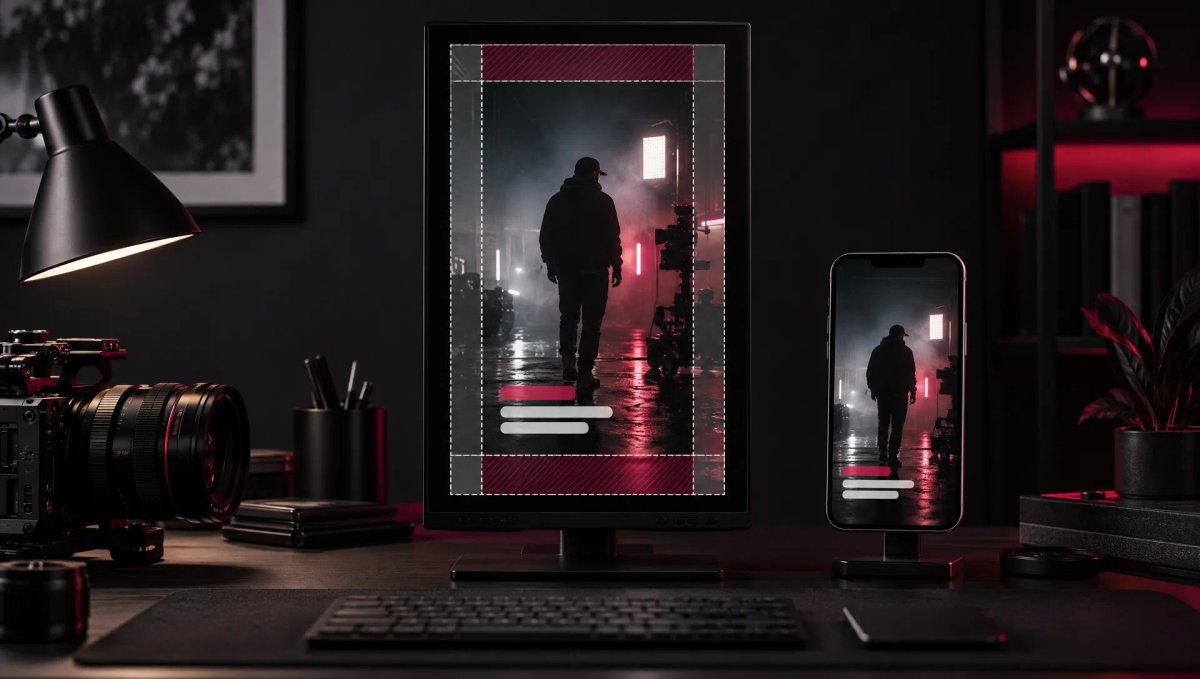
If you shoot 4K landscape, you keep room to reframe for vertical in the edit. Still, start with a 1080 x 1920 timeline and frame with the interface in mind, because the caption and buttons cover part of the picture. The guide to safe zones for Reels, TikTok and Shorts covers that in detail.
Official specs for organic posts (checked October 2026)
Instagram Reels
- Length: up to 20 minutes, recorded or edited in Reels. Reels longer than 3 minutes won’t be recommended to new audiences (Instagram Help Center, record a reel).
- Aspect ratio: 1.91:1 to 9:16; only 9:16 fills the screen.
- Frame rate and resolution: a minimum of 30 fps and 720 pixels, per Instagram’s Reel size page.
- Upload quality: the app has an “Upload at highest quality” option (under Media quality) so your Reels always go up at maximum quality.
TikTok
- Length: up to 10 minutes for a video recorded in the app, up to 60 minutes for an uploaded video (TikTok Help on camera tools). If you pick a sound before recording or uploading, the sound’s length sets the video’s length.
- File and codec: TikTok’s developer documentation (for uploads through its API) recommends MP4 and H.264, also accepts WebM, MOV, H.265, VP8 and VP9, at 23 to 60 fps, 360 to 4096 pixels per side and up to 4 GB.
- Resolution: the help pages cited here give no recommended value for organic posts; aim for 1080 x 1920.
YouTube Shorts
- Length: up to 3 minutes, square or vertical, for videos uploaded after October 15, 2024.
- Copyright: a Short longer than one minute with an active Content ID claim is blocked worldwide. Most songs can be used for up to 90 seconds in a 3-minute Short, some only for 60 or 30 seconds (same help page).
- Recommended encoding: MP4 container, H.264 video, AAC-LC (or Opus) audio at 48 kHz, the same frame rate you recorded at, and BT.709 color for SDR (YouTube’s recommended upload encoding settings).
Ads: different specs from organic posts
As soon as you put money behind a video, the ad specs apply, and they differ from organic posting.
Instagram Reels ads (Meta)
- File: MP4 or MOV, 9:16 ratio, recommended resolution 1440 x 2560 px, 4 GB maximum (Meta Ads Guide for Instagram Reels).
- Encoding: H.264 compression, square pixels, fixed frame rate, progressive scan, stereo AAC audio at 128 kbps or more.
- Length: 0 seconds to 15 minutes. Minimum width: 250 pixels for ads under 30 seconds, 500 pixels for ads of 30 seconds or longer.
- Space to keep clear: at least 14% at the top, 35% at the bottom and 6% on each side, with no text, logo or key element.
- Leave out: licensed music (Meta suggests original audio or the Meta Sound Collection), face or camera effects, GIFs and product tags.
TikTok In-Feed ads
- Non-Spark Ads (video uploaded to Ads Manager): 9:16 recommended, at least 540 x 960 px; .mp4, .mov, .mpeg, .3gp or .avi; up to 10 minutes; 500 MB maximum; bitrate of at least 516 kbps (TikTok In-Feed Ads specs).
- Spark Ads (boosting an existing post): .mp4 or .mov, no duration limit; the video stays your organic post.
- Safe zone: TikTok provides downloadable templates, including an Arabic right-to-left version for the Arabic region.
On YouTube, a video ad runs from a video uploaded to YouTube, so the same encoding settings apply.
Frame rate, codec and bitrate: the right encoding settings
Which frame rate?
YouTube advises exporting at the frame rate you shot in (24, 25, 30, 48, 50 or 60 fps); Instagram states a 30 fps minimum for Reels. The simplest way to post everywhere: shoot and export at 30 or 60 fps. Under 50 Hz mains lighting (Europe, Morocco and many other countries), set your shutter to 1/50 or 1/100 s at 30 fps, and 1/100 s at 60 fps, to avoid flicker.
Which codec and container?
The universal combo is still MP4 + H.264 + AAC: YouTube recommends it, Meta recommends it for Reels ads and TikTok lists it first. H.265 (HEVC) gives smaller files at the same quality, but every platform re-encodes your video after upload, so its advantage is mostly a faster upload.
Which bitrate?
Only YouTube publishes target bitrates: for 1080p SDR, 8 Mbps at 24, 25 or 30 fps and 12 Mbps at 48, 50 or 60 fps. A 1080 x 1920 frame has as many pixels as landscape 1080p, so treat those values as a floor everywhere. Go higher for busy shots (grain, water, foliage) as long as the file stays within the limits. Rule of thumb: at 12 Mbps, one minute weighs about 90 MB.
For color, stay in SDR Rec. 709 (the BT.709 standard YouTube recommends for SDR) unless you run a full HDR pipeline. Many recent phones record HDR by default: check that setting before you shoot.
Cover and thumbnail sizes
- Instagram: recommended cover size 420 x 654 px (1:1.55 ratio). According to the Help Center, you currently can’t edit the cover after uploading, so choose it before you post, with the title in the center so it survives the profile grid crop.
- YouTube Shorts: custom thumbnails can only be added in YouTube Studio on a computer, from a verified account; 9:16, 2160 x 3840 px recommended, 640 px minimum height, JPG or PNG, up to 50 MB on desktop (YouTube Help on custom thumbnails).
- TikTok: you pick the cover when you post, usually a frame from the video that you can add text to. The help pages cited here give no dedicated size: plan a strong frame in the edit, with a readable face and a short title in the center.
How long should your video be? Retention before limits
Why the maximum length is not a target
A 20-minute or 3-minute limit is a technical ceiling, not a recommendation. What matters is how much of the video people actually watch. For each Short, YouTube Studio shows the percentage of viewers who chose to view rather than swipe away (Shorts analytics in YouTube Studio); Instagram and TikTok show average watch time.
A 20-second video watched to the end delivers your whole message; a 90-second video abandoned at second ten delivers a fraction of it. Every second has to earn its place: a sharp opening (see visual hooks for Reels and Shorts), then pacing that keeps pulling attention back, covered in the article on retention and editing rhythm.
Guidelines by goal
There is no universal ideal length: start from the message and cut everything that doesn’t serve it. These are starting points to test, not platform rules:
- Getting discovered (reach): one idea, delivered fast. Aim for the shortest version that keeps the hook’s promise, and stay under 3 minutes on Instagram.
- Teaching (tutorial, tip): as long as the essential steps take, no longer. If the topic runs over, split it into a series instead of one long video.
- Selling (ad, offer): problem, proof, offer, call to action. Cut several lengths of the same message and let the results decide.
- Storytelling (brand, behind the scenes): a longer cut can hold if every scene moves the story forward.
- Podcast or interview clip: one complete idea, from setup to payoff, cut before it starts repeating.
A simple method: edit a complete first version, then cut in successive passes until every shot has a reason to be there. Then compare the average watch time of two versions instead of trusting a general rule.
Export checklist for Premiere Pro, DaVinci Resolve and CapCut
Whatever your software, check these settings before every export:
- Resolution 1080 x 1920 px (9:16), square pixels.
- Frame rate matching your timeline and footage.
- MP4 container, H.264 codec.
- Bitrate of at least 8 Mbps up to 30 fps, 12 Mbps at 50 or 60 fps.
- AAC audio, 48 kHz, stereo.
- SDR Rec. 709 color.
- No guide layer (safe zone, grid) visible in the exported file.
Adobe Premiere Pro
Create a 1080 x 1920 sequence (square pixels) at your footage’s frame rate. In Export, pick the H.264 format, check that frame size and frame rate match the sequence, set bitrate encoding to VBR with a target of at least 8 or 12 Mbps, and audio to AAC 48 kHz. If you reframe 4K footage, turn on maximum render quality.
DaVinci Resolve
In the project or timeline settings, set the resolution to 1080 x 1920 (or tick the vertical resolution option if your version has it). On the Deliver page, choose a custom export: MP4, H.264 codec, the timeline’s resolution and frame rate, a bitrate of at least 8,000 or 12,000 kb/s, AAC audio.
CapCut
Choose the 9:16 ratio when you start the project. On export, select 1080p, your footage’s frame rate, a “Recommended” or higher bitrate, MP4 format and the H.264 codec. Avoid re-exporting the same file several times: each pass recompresses the image.
If you’d rather hand off the editing and the platform-ready files, that’s the core of my Reels, TikTok and Shorts editing service.
Mistakes that degrade vertical videos
- Posting a 16:9 video as is: it only fills a strip in the middle of the screen. Reframe or re-edit it in 9:16.
- Upscaling a small source: going from 720p to 1080 x 1920 adds no detail.
- Changing the frame rate on export: converting 25 to 30 fps creates judder. Set the frame rate when you shoot.
- Crushing the bitrate to save space: the platform already recompresses your video, so it loses sharpness twice.
- Sending the video through a messaging app before posting: messaging apps often compress video. Use a cable, AirDrop or a cloud storage link.
- Putting text and captions too close to the edges: the interface hides them. Keep them central and follow the advice in the article on captions for Reels, TikTok and Shorts.
- Using copyrighted music in the wrong place: on a Short over one minute, a Content ID claim blocks it, and Meta excludes licensed music from Reels ads.
Key takeaways
- Export at 9:16, 1080 x 1920 px, MP4 H.264 + AAC: the common baseline for all three platforms.
- Maximum lengths in October 2026: 20 minutes on Instagram, 60 minutes for uploads on TikTok, 3 minutes on YouTube Shorts.
- Ads have their own specs: 1440 x 2560 px recommended for Reels ads, at least 540 x 960 px and at most 500 MB for TikTok.
- Keep your shooting frame rate (ideally 30 or 60 fps) and a bitrate of at least 8 to 12 Mbps at 1080p.
- Choose the length based on your goal and retention, never on the maximum limit.
FAQ
What is the best video size for Reels, TikTok and Shorts?
1080 x 1920 pixels at a 9:16 ratio: the full-screen vertical format shared by all three platforms, above the official minimums (720 pixels for Instagram, 540 x 960 px for a TikTok ad). For a Reels ad, Meta recommends 1440 x 2560 px. Export as MP4 with H.264 video and AAC audio, and keep your text in the central area.
How long can an Instagram Reel be in 2026?
According to the Instagram Help Center (checked October 2026), you can record and edit Reels up to 20 minutes long. But Reels longer than 3 minutes aren’t recommended to new audiences, so they mostly reach your followers. For reach, aim for the shortest version that delivers your message. Reels ads can run up to 15 minutes.
Can a YouTube Short be longer than 60 seconds?
Yes. Since October 15, 2024, a square or vertical video up to 3 minutes long counts as a Short. Watch out for copyright: past one minute, a Short with an active Content ID claim is blocked worldwide, and most songs are limited to 90 seconds.
Should you export in 4K for TikTok, Reels or Shorts?
No. 1080 x 1920 covers all three platforms, and each one re-encodes your video after upload. 4K is mainly useful when shooting, to reframe a landscape shot for vertical without losing sharpness. If you export larger, stay within the limits: 4096 pixels per side at most, according to TikTok’s developer documentation.
Which frame rate should you use: 25, 30 or 60 fps?
Keep the frame rate you shot in: YouTube recommends exporting at the original frame rate, and converting creates judder. Since Instagram states a 30 fps minimum for Reels, shoot content meant mainly for Instagram at 30 fps, or 60 fps for fast motion and slow motion. Under 50 Hz lighting, adjust your shutter speed to avoid flicker.
Go further