Corporate video: types, ideal length and a structure that works
Brand film, company overview, customer testimonial, recruitment video: each type of corporate video has its own job, length and structure. This guide helps you pick the right type, set a realistic length, build the message and plan the production.

MoBenFreelance video creator
Contents
- What is a corporate video?
- 8 types of corporate videos and what each one is for
- Which corporate video for which stage of the customer journey?
- How long should a corporate video be? Typical ranges by type
- How to structure a corporate video
- The corporate video production process, step by step
- How much does a corporate video cost? The factors behind the price
- Corporate video shoot checklist for your company
- Common corporate video mistakes to avoid
- Key takeaways
- FAQ
A corporate video is a video a company, startup or institution produces to explain what it does, prove what it promises or engage its own people. There are eight main types, and each has its own job, length and structure. This guide gives you typical length ranges per type, a five-part structure, the production steps, the factors that drive cost and a shoot checklist.
What is a corporate video?
You will also see the terms company video, business video or corporate film. Unlike an ad, which pushes one offer for the length of a campaign, a corporate video explains who you are, how you work and why people can trust you. It builds credibility over time: on your website, LinkedIn, YouTube, at trade shows and internally.
8 types of corporate videos and what each one is for
Pick the type before you talk budget or length: it sets the tone, the shoot setup and the distribution channel.
1. Brand film
It tells your mission, values and vision, with more emotion than technical detail. It is the hero video on your homepage, at a launch or at an event.
2. Company overview video
It answers the practical questions: what you do, for whom, how and with which team. It is the most common format for SMEs and institutions, useful on an About page, in sales meetings and in tender responses.
3. Customer testimonial
A client describes their situation, their choice and the result. It is the most convincing form of social proof, as long as the person speaks in their own words instead of reading a script.
4. Employer branding and recruitment video
It shows the jobs, the atmosphere and the people who work with you, to attract candidates. Real employees filmed in their real day beat any speech about “team spirit”.
5. Product or service demo
It shows how an interface, a process or a service works, for product pages, sales teams and customer support.
6. Event recap (aftermovie)
Conference, trade show, opening: the video brings back the highlights. Plan it before the event, because nobody re-films an opening keynote.
7. Explainer video
Often made in motion design, it simplifies an abstract idea: a financial service, a platform, a process. It is the obvious choice when there is nothing visual to film.
8. Internal communication video
A message from leadership, onboarding, training, a change announcement: it speaks to your teams. Clarity and authenticity matter more here than polished visuals.
Which corporate video for which stage of the customer journey?
A company rarely needs a single film. The most effective approach is to match each type to a stage of your customer’s journey, or your future employee’s:
- Awareness: brand film, explainer, short event clips for social media, to get known and remembered.
- Consideration: company overview, product or service demo, to make the offer clear and show you are reliable.
- Decision: customer testimonials, in-depth demo, short videos that answer common objections, to remove the last doubts.
- Retention: tutorials, customer onboarding, behind the scenes, to make your product easier to use and keep the relationship alive.
- Hiring and internal: employer branding for candidates, internal communication to keep teams aligned.
If your budget covers only one video this year, start with the stage where you lose the most prospects. A company that gets enquiries but closes few deals often has more to gain from testimonials than from a brand film.
How long should a corporate video be? Typical ranges by type
There is no official length. The ranges below reflect common industry practice: treat them as benchmarks, not rules.
- Brand film: about 1 to 2 minutes, plus 15 to 30-second cut-downs for social media.
- Company overview: about 90 seconds to 3 minutes; up to 5 minutes for a film shown at a trade show or a general meeting.
- Customer testimonial: about 1 to 3 minutes, plus a 30 to 60-second excerpt.
- Employer branding: about 1 to 2 minutes for the main film, 30 to 60 seconds per job profile.
- Product or service demo: about 1 to 3 minutes for an overview; longer for a step-by-step tutorial, split into chapters.
- Event recap: about 1 to 3 minutes, plus a 15 to 30-second teaser.
- Explainer: about 60 to 120 seconds.
- Internal communication and training: about 2 to 5 minutes per message; for training, several short modules rather than one long film.
The right length is the length of the message. To check it before the shoot, read the script aloud with a stopwatch: as a rough guide, a measured voice-over runs at about 2 to 2.5 words per second, so a 300-word script already makes two minutes or more.
The channel matters too. LinkedIn accepts videos up to 15 minutes and aspect ratios from 1:2.4 to 2.4:1, according to LinkedIn’s official help page on sharing videos (checked October 2026), but a video made for the feed has to make sense within seconds, often with the sound off. For Reels, TikTok and Shorts, see our guide to Reels, TikTok and Shorts format, length and resolution.
How to structure a corporate video
Whatever the type, a corporate video that works almost always follows the same five-part progression:
- Hook (the first seconds): a strong image, a question, a verifiable fact or a tension. Avoid opening on a ten-second logo animation.
- Context: who you are and which problem you solve, seen from the viewer’s side.
- Message: one central idea you can state in a sentence. If you have three, you probably have three videos.
- Proof: a client speaking, a demonstration, results you can document, teams filmed at work.
- Call to action: one clear action that fits the channel (book a call, visit a page, apply).
An indicative split for a 90-second company overview: hook in the first 5 seconds, context up to 20 s, message up to 60 s, proof up to 80 s, then the call to action. A testimonial follows a “before, choice, after” order instead: the client’s situation, their decision, the result.
The corporate video production process, step by step
Professional video production runs in three phases, then delivery. The final quality is mostly decided in the first phase, the one companies tend to rush.
1. Pre-production: brief, script and planning
- Brief: objective, audience, key message, channels, languages, deadline, budget, references and who signs off. Our article on choosing a video editor and writing the brief details what it should contain.
- Script: a voice-over script for a scripted video, or an interview guide for a testimonial (questions, never answers to recite).
- Storyboard or shot list: every shot to film, scene by scene, so nothing is forgotten on the day.
- Logistics: location scouting, schedule, speakers, filming permits and image release forms.
2. The shoot
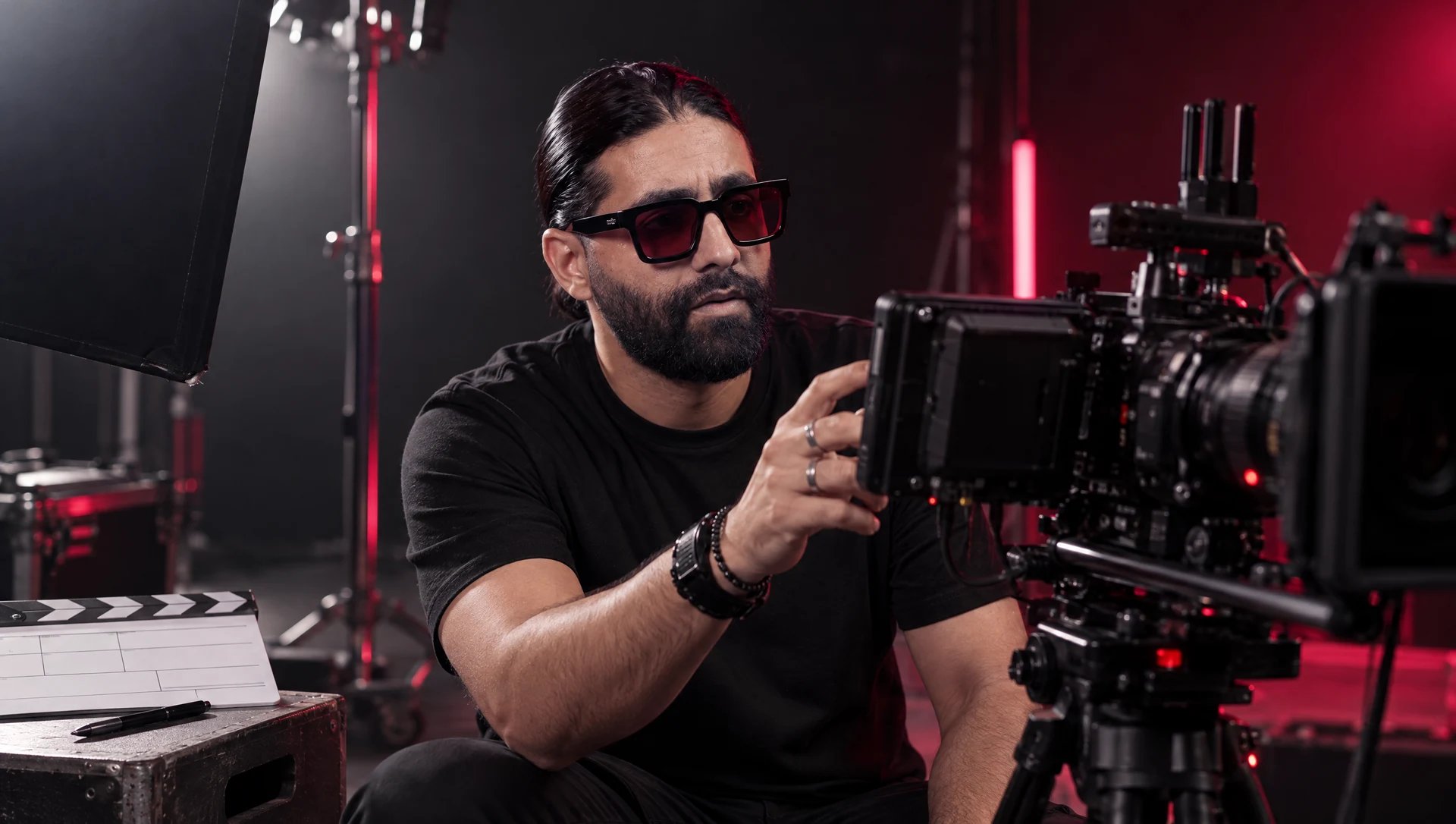
Interviews are recorded with clean sound (lavalier or boom microphones), then everything that will illustrate them: teams at work, products, places, hands-on details. This B-roll gives the edit its pace and lets you cut inside an interview without it showing. If vertical versions are planned, the camera operator needs to know before framing. See also why you should shoot options for the edit.
3. Post-production
- Editing: a first cut, then a refined version after your feedback. Agree on the number of revision rounds from the start.
- Sound and color: cleaned-up voices, mixing, music licensed for your use, consistent color grading that matches your visual identity.
- Graphics: titles, speaker names, logo, motion design. Arabic text runs right to left: plan a font that handles Arabic well and a review by a native speaker.
- Captions: essential on social media, where videos often start muted, and for Deaf and hard-of-hearing viewers, as the W3C (WAI) guide to captions explains. Our article on captions for Reels, TikTok and Shorts covers the best practices.
4. Deliverables and cut-downs
A corporate video should not ship as a single file. Plan these in the brief:
- a 16:9 master for your website, YouTube, presentations and event screens;
- a captioned LinkedIn version in 16:9, 1:1 or 4:5 depending on how the shots are composed;
- 15 to 60-second vertical 9:16 cuts for Reels, Shorts, TikTok and Stories;
- caption files (SRT) for each language, and a version without burned-in text for future adaptations;
- a thumbnail, and a written list of what you receive (final files, raw footage, usage rights).
How much does a corporate video cost? The factors behind the price
Prices vary widely from one project to another. Rather than an average that would mean nothing, here is what moves the budget:
- Shoot: number of days and locations, travel;
- Crew: one videographer, or a director, sound recordist, director of photography, make-up;
- Equipment: number of cameras, lighting, sound, drone (with whatever permits the country requires);
- Writing and talent: concept, script, storyboard, actors, voice-over artists, number of interviews;
- Post-production: editing complexity, motion design, 3D animation, color grading;
- Versions: languages, formats, short cut-downs, number of revision rounds;
- Rights and timing: music, archive footage, scope of distribution (organic or paid), rush delivery.
To compare quotes, ask for itemized ones based on the same brief. A low quote that leaves out captions, vertical formats or music rights rarely ends up cheaper. Our corporate video and brand film service shows what this kind of project includes.
Corporate video shoot checklist for your company
- The key message and objective are approved by one person who has the final say.
- Speakers are chosen, informed and have received the interview topics in advance.
- Everyone who is filmed and recognizable (employee, client, visitor) has signed an image release; check the rules in your country.
- Locations are booked and tidy, noise sources identified (air conditioning, open-plan offices, building work), confidential screens and documents hidden.
- Brand assets are ready: vector logo, fonts, colors, brand guidelines.
- Products, demos and software access work; screen recordings are planned.
- Outfits are chosen: plain colors, no fine stripes, no other brands’ logos.
- The video’s languages (for example English, French, Arabic) and the captioning plan are decided before the shoot.
- One on-site contact handles access, badges and surprises.
Common corporate video mistakes to avoid
- Trying to say everything: one video, one audience, one message. The rest belongs in other formats.
- Talking about yourself instead of the client: your history and org chart matter less than the problem you solve.
- Having people recite a memorized script: it comes across as stiff. A guided interview or a well-prepared teleprompter sounds more natural.
- Neglecting sound: viewers forgive average images far more easily than an inaudible voice or an echoing room.
- Replacing reality with generic footage: stock clips that show neither your premises nor your people weaken credibility.
- Forgetting distribution: without short versions, captions and a publishing plan, even the best film stays invisible.
A corporate video works better when it rests on a consistent identity: see the guide to visual identity: logo vs brand guidelines vs brand book to know what to prepare before the shoot.
Key takeaways
- Choose the type of video based on the stage of the customer journey you want to strengthen.
- Length ranges per type are common-practice benchmarks: the real limit is the message.
- Build every video in five parts: hook, context, message, proof, call to action.
- Plan cut-downs (LinkedIn, vertical, captions, languages) in the brief, not after the edit.
- Compare quotes on the same brief, line by line, checking rights and deliverables.
FAQ
How long should a corporate video be?
There is no universal ideal length. In practice, a brand film often runs 1 to 2 minutes, a company overview 90 seconds to 3 minutes, and a social media video 15 to 60 seconds. Start from the message and the channel: if everything is said in 70 seconds, do not stretch it.
How much does a corporate video cost?
The price depends mainly on the number of shoot days, crew size, scriptwriting, post-production (motion design, color grading), the number of versions and the distribution rights. A precise brief gets you comparable quotes. For an estimate that fits your project, you can tell us about your project.
How long does it take to produce a corporate video?
It depends on the type of video and the number of approval steps. For a simple project (one shoot day, one main edit, a few cut-downs), the timeline is usually counted in weeks rather than days. Scriptwriting, speaker availability and how fast feedback comes back often weigh more than the edit itself.
Live action or animation: which is better for a corporate video?
Live action shows the real thing (your people, your premises, your clients) and builds trust. Motion design suits abstract subjects better: software, financial services, processes, data. Many corporate videos combine both, with filmed interviews and animation for figures and steps.
Do you need a separate corporate video for each language?
Not necessarily. One edit with captions in English, French and Arabic is often enough, especially when speakers talk naturally in their own language or dialect, such as Moroccan Darija. A voice-over or on-screen text, however, requires one version per language, with right-to-left layouts for Arabic. Decide before the shoot: it changes the script and the budget.
Go further