
Final Cut Pro and MotionVFX come together in Apple Creator Studio
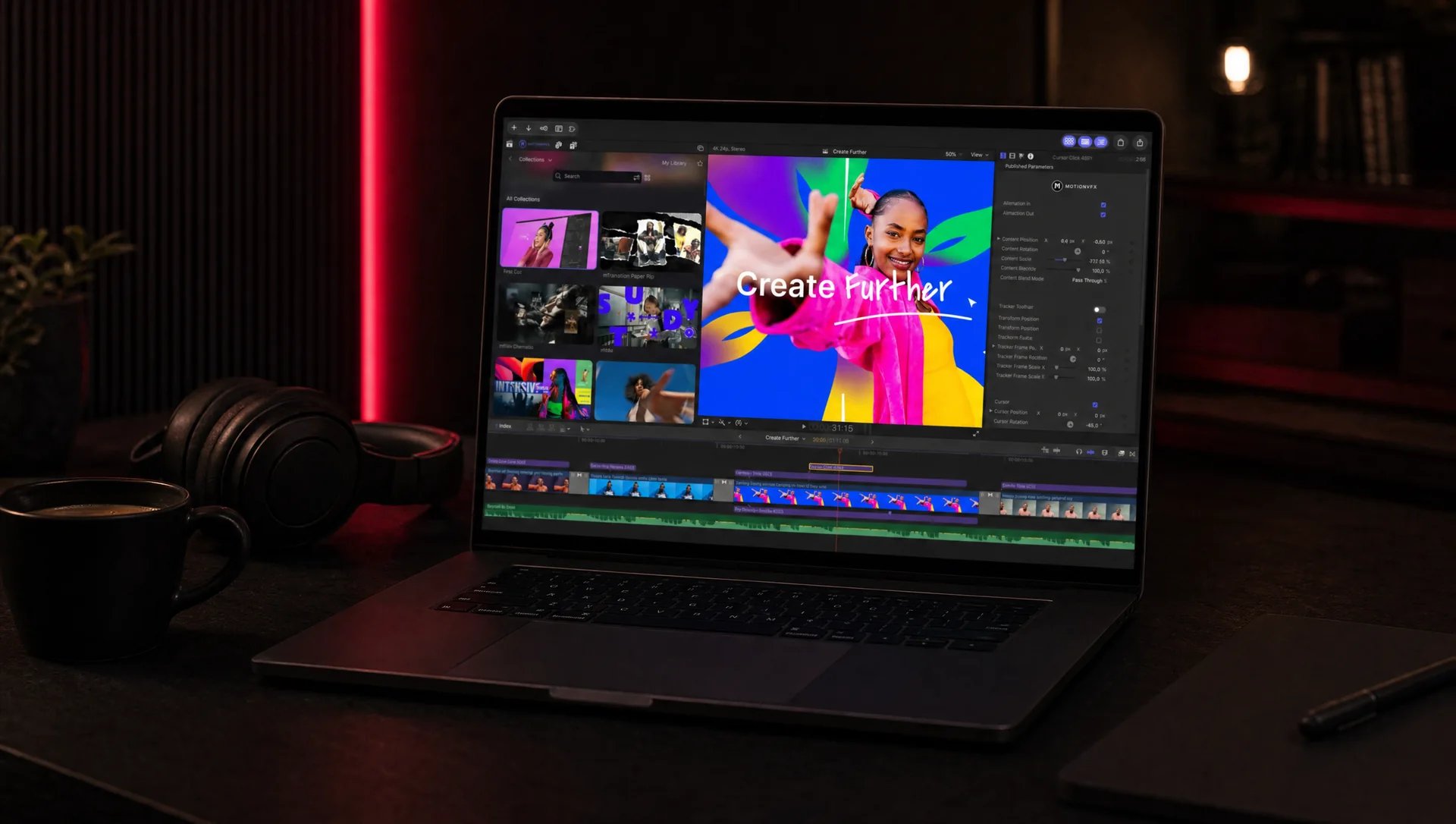
Apple is building MotionVFX elements (titles, transitions, templates, tracking, rotoscoping) and a Content Hub of stock video into Final Cut Pro, at no extra cost for Apple Creator Studio subscribers. The update is announced for November 2026.

MoBenFreelance video creator
Contents
Apple has announced an update to Apple Creator Studio, its subscription that bundles Final Cut Pro, Logic Pro, Pixelmator Pro and other creative apps. The key point for editors: thousands of MotionVFX elements (titles, transitions, templates, tracking and rotoscoping tools) come straight into Final Cut Pro on Mac, along with a Content Hub of stock video. The update is expected in November 2026, at no extra cost for subscribers.
You pay for software, then you still have to pay for plugins? That is the problem this announcement wants to solve: the software and a large effects library in the same subscription.
What is Apple Creator Studio?
It is a subscription Apple launched in January 2026. According to the official page, it includes Final Cut Pro, Logic Pro, Pixelmator Pro, Motion, Compressor and MainStage, plus premium features in Keynote, Pages, Numbers and Freeform. Final Cut Pro, Logic Pro and Pixelmator Pro run on Mac and iPad.
What does the update bring to Final Cut Pro?
According to Apple’s announcement, here is what is coming for editing:
- Built-in MotionVFX: thousands of elements in Final Cut Pro for Mac, including themed templates, graphics, titles, transitions, and tools for rotoscoping, tracking and colour grading.
- Content Hub: a library of Apple-curated stock video, photos and backgrounds, accessible from Final Cut Pro.
- Pixelmator Pro round trip: an image from the timeline can open directly in Pixelmator Pro for editing.
- Image generation: Final Cut Pro and Motion can create an image from a written description.
For an editor, the first point matters most. MotionVFX is well known among Final Cut users for its title and transition packs, which until now were bought separately. Having them in the subscription changes the budget maths.
What is Generate Fill in Pixelmator Pro?
It is Pixelmator Pro’s new AI feature. You circle an area of the image, type what you want to change there, and the tool generates the result while matching the surrounding lighting, perspective and texture. Apple says the result can be merged into an existing layer or placed on a new layer with a mask.
For video, the most direct use is preparing thumbnails, backgrounds or still images used in the edit.
What else is in the update?
- Logic Pro for Mac: an intelligent assistant in beta (U.S. English only, macOS 27 required) and a redesigned sound browser that analyses and tags sounds on the device.
- Keynote, Pages and Numbers: an assistant in beta (U.S. English only) and stock video in the Content Hub.
- Freeform: new features planned for December.
How much does Apple Creator Studio cost, and when does the update arrive?
The update is free for existing subscribers. The announced U.S. price stays at 12.99 dollars a month or 129 dollars a year, and 2.99 dollars a month for students and educators. New subscribers get a one-month free trial. The price in your country may differ: check it in the App Store.
To be clear: this is an update announced for November. Not everything is available today. And Apple says Final Cut Pro is still sold on its own, as a one-time purchase, on the Mac App Store.
Should you switch to Final Cut Pro for this pack?
That is the real question. If you already edit in Final Cut, it is good news with no change to your habits. If you work in Premiere Pro or DaVinci Resolve, switching subscriptions is easy, but switching workflows is much harder: shortcuts, project organisation, exchanges with clients or other editors, presets and templates you have already built.
My advice: don’t change software for a template library. Templates save time, but they are not what makes a good edit. And if you just need ready-made elements, there are free resources too, like this transitions pack or this intros pack.
Good use of titles and transitions stays discreet: they serve the rhythm without drawing attention to themselves. That is the idea behind invisible editing.
Frequently asked questions
When will MotionVFX be available in Final Cut Pro?
Apple announces the update for November 2026 on the App Store. Before then, these elements are not built in yet.
Do you have to pay extra for MotionVFX?
No, not for Apple Creator Studio subscribers: Apple presents the update as free for existing subscribers. The integration concerns Final Cut Pro on Mac.
Can you still buy Final Cut Pro without a subscription?
Yes. According to Apple, Final Cut Pro and the other Mac apps in the bundle remain available as one-time purchases on the App Store. The subscription features, such as the MotionVFX integration, are announced as part of Apple Creator Studio.
What about you: does this pack make you want to move to Final Cut, or does switching workflows feel harder than switching subscriptions? If you simply want a clean edit, whatever the software, here is how I handle editing and post-production.
Go further