YouTube: someone can use your face without ever filming you
YouTube offers likeness detection: the tool finds videos where your face appears altered or generated, then lets you request their removal. Detection is not removal, and access depends on your country and account.
MoBenFreelance video creator
Contents
- What is likeness detection on YouTube?
- Who can use likeness detection?
- How do you sign up, step by step?
- What should you do when a video with your face is detected?
- Why does detection not mean removal?
- What about your voice? What YouTube announced next
- What if a fake ad with your face spreads outside YouTube?
- My advice for creators and brands
- Frequently asked questions
Yes, someone can put your face in a video you never shot. For that situation, YouTube offers likeness detection: you sign up in YouTube Studio, verify your identity, and the tool then shows you videos where your face appears altered or generated, so you can request their removal. But detection is not automatic removal, and the tool is not available everywhere yet.
Picture this: you open YouTube and find yourself in an ad for a product you never filmed and never approved. It already happens. In September 2024, YouTuber Jeff Geerling found out that an electronics brand was narrating its promotional tutorials with a voice that sounded like his, saying words he had never said (he wrote about it on his blog).
What is likeness detection on YouTube?
It is a YouTube Studio tool that works a bit like Content ID, but for your face instead of your videos. According to YouTube Help, the system runs a one-time scan of newly uploaded videos to find those that may contain the face of an enrolled creator.
Today, the tool only matches faces. It can also surface real footage of you, for example a clip of your own video re-uploaded by another channel. That is not a privacy issue but a copyright one, and the process is different.
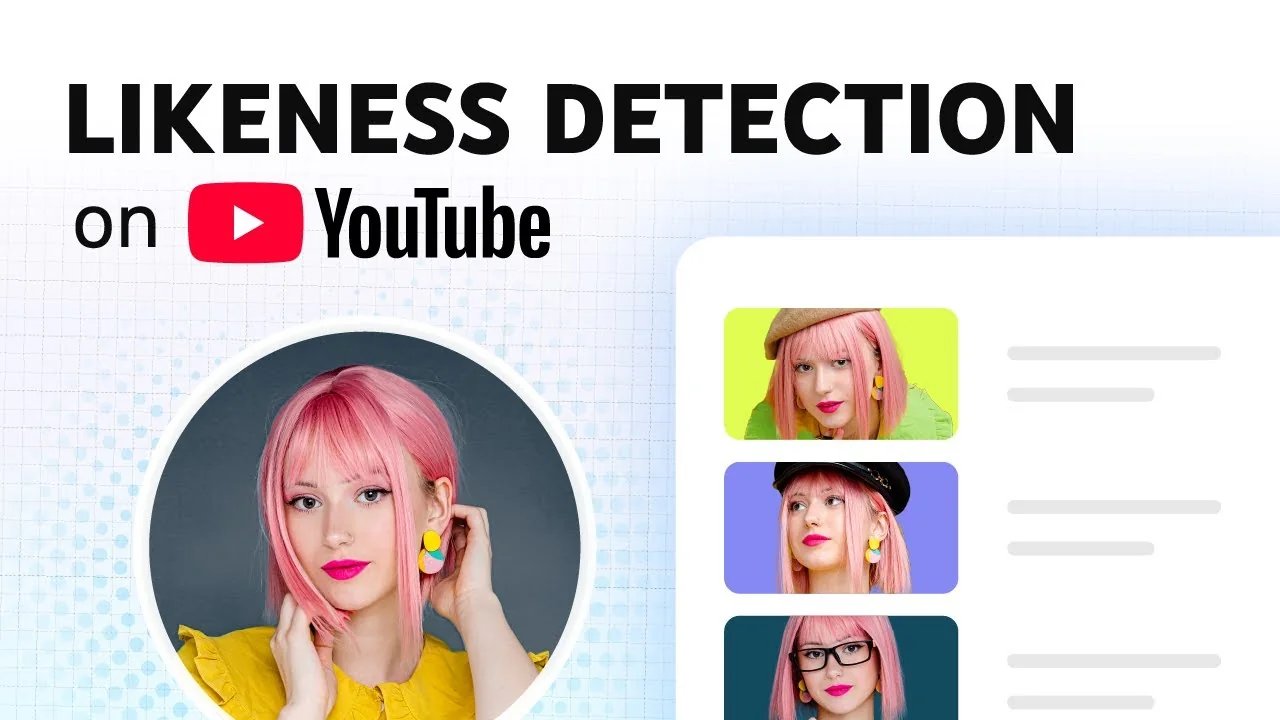
YouTube introduces the tool in a short official video: Likeness Detection on YouTube.
Who can use likeness detection?
According to YouTube’s help page, checked on 29 October 2026, you need to:
- Be over 18.
- Be the Owner or a Manager of the channel. Channel Editors can then review matches on behalf of the enrolled person.
- Verify your identity with a government-issued ID and a short selfie video of your face.
YouTube says the feature is still experimental and not available in some countries. The help page does not publish a country list: if you do not see the tab in YouTube Studio, your account does not have access yet.
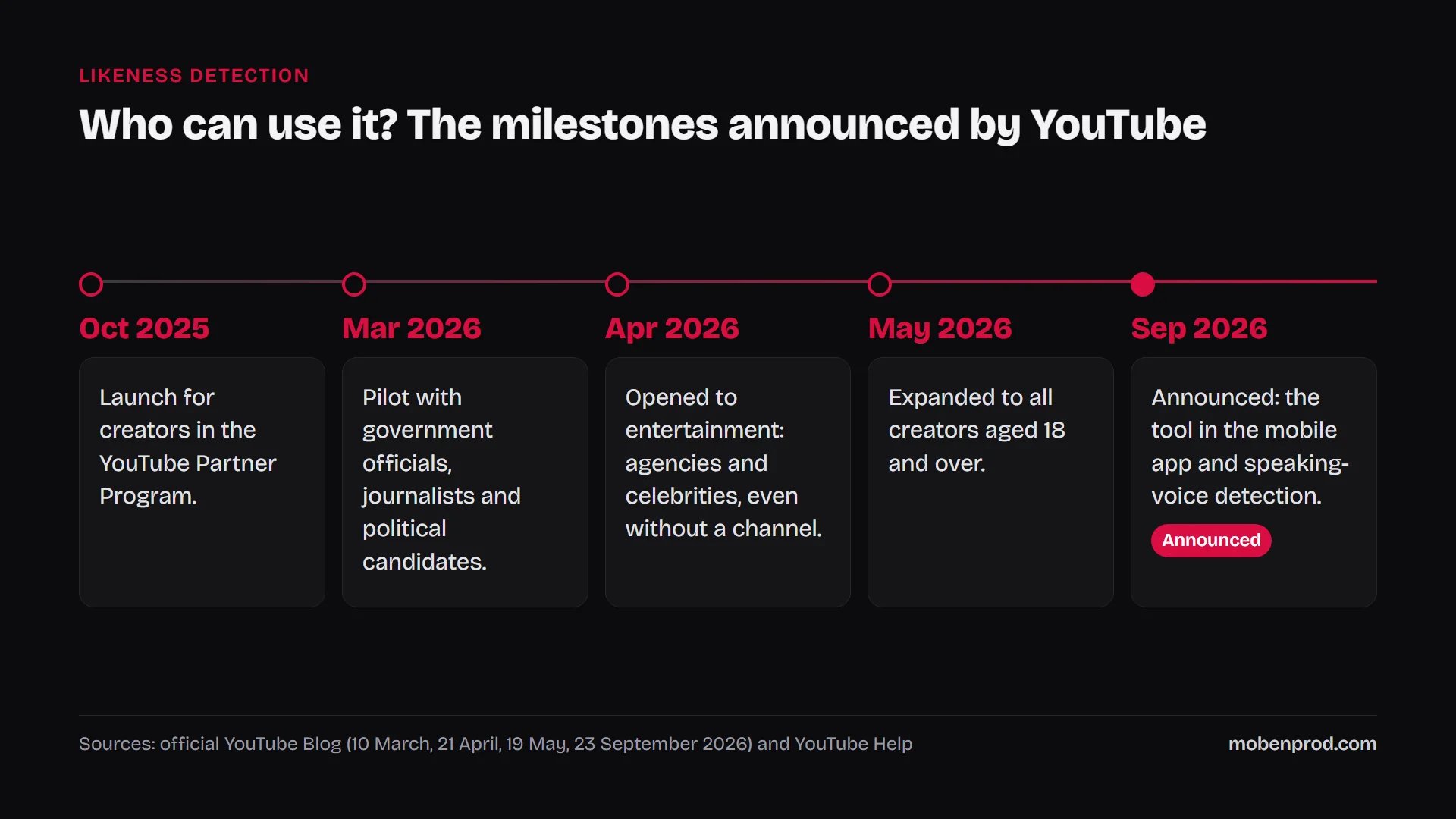
Access has widened in steps. Launched in October 2025 for creators in the YouTube Partner Program, the tool was piloted in March 2026 with government officials, journalists and candidates, opened in April to agencies and celebrities, then expanded on 19 May 2026 to all creators aged 18 and over.
How do you sign up, step by step?
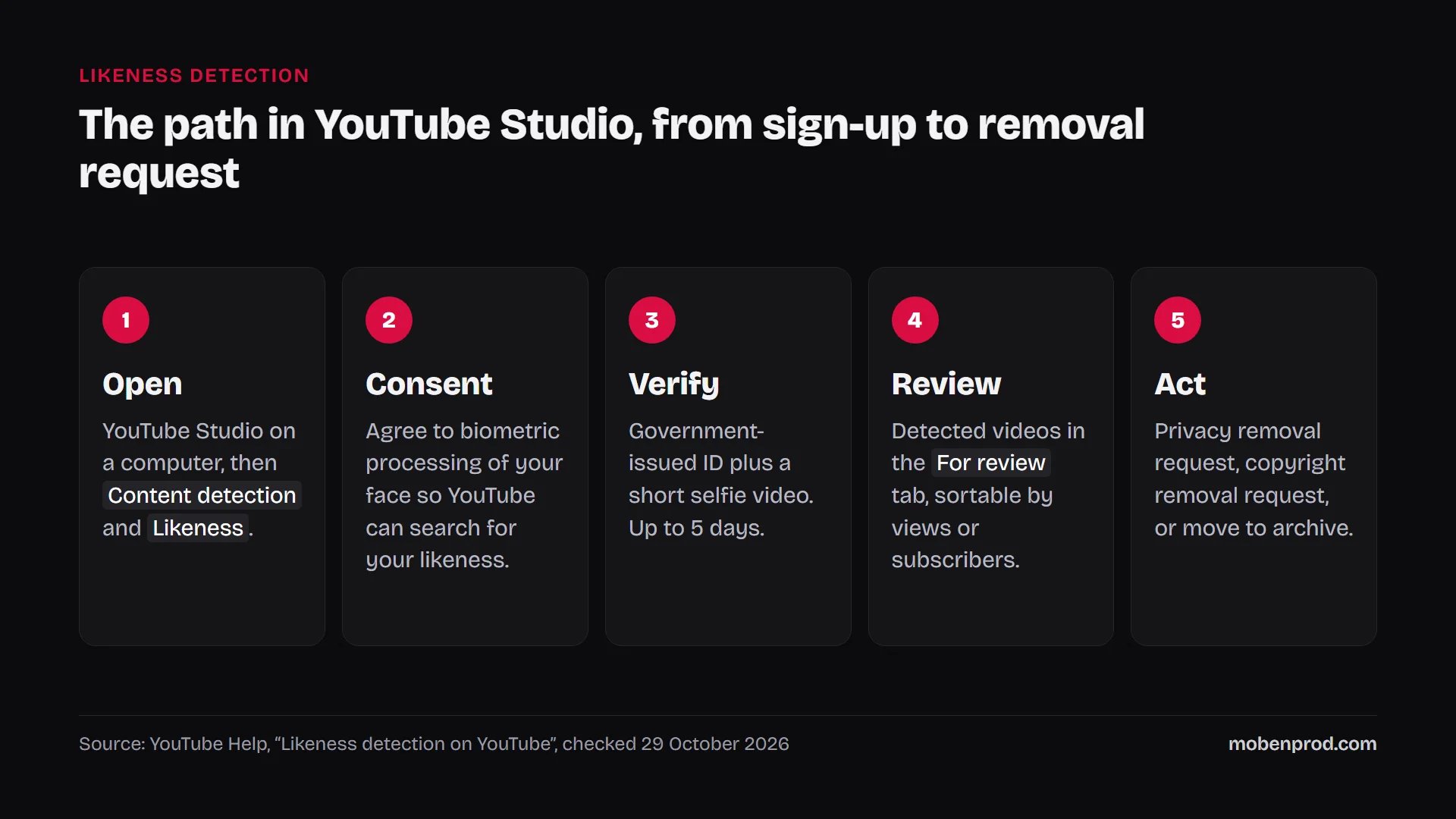
- Open YouTube Studio on a computer.
- In the left menu, select Content detection, then Likeness, then Start now.
- Agree to YouTube using biometric technology to search for your face on the platform.
- Complete Google’s identity verification: a photo of a government-issued ID and a short selfie video. That video is also used as the reference to recognise your face.
- Wait for the confirmation email: according to YouTube, verification can take up to 5 days.
If several people appear on camera on your channel (a duo, a partner, a host), each one has to enrol with their own Google account. YouTube recommends adding each member as a channel Manager, otherwise verification can fail because of a name mismatch.

What should you do when a video with your face is detected?
Matches land in the For review tab. You can sort them by views or by the channel’s subscriber count, which helps you deal first with what spreads the most. For each video, you have three options:
- Likeness removal request: if the video violates YouTube’s privacy guidelines. It goes through the privacy complaint process.
- Copyright removal request: if your own original content was used without permission. YouTube asks you to consider first whether an exception (fair use, public domain) applies.
- Move to archive: the video stays live, leaves your review list, and you can still file a complaint later from the Archived tab.
YouTube emails you the outcome. If you change your mind, you can retract the request with the link in the confirmation email.
Why does detection not mean removal?
“Detection does not guarantee removal.” YouTube, official blog, 10 March 2026
This is the part many people miss. When you file a request, YouTube reviews it under its privacy guidelines. The team looks at whether the content is altered or synthetic, whether it is disclosed as such to viewers, whether you can be uniquely identified, whether it is realistic, and whether it is parody, satire or in the public interest.
One criterion works in your favour with a fake ad: among the sensitive situations it considers, YouTube lists showing a well-known person endorsing a product. That is exactly the scenario of the ad you never shot.
What about your voice? What YouTube announced next
On 23 September 2026, at Made on YouTube, YouTube announced two changes: likeness detection is coming to the mobile app, so you can set it up, review matches and act from your phone, and the tool will start combining speaking-voice detection with face detection to improve match accuracy (official announcement).
For voice, YouTube says “later this year”. The help page already notes that some users can record a speaking voice sample during setup, and that the rollout is under way. Until then, if a video imitates your voice, the route is still the privacy complaint. The Jeff Geerling case shows why this matters: it was his voice, not his face.

What if a fake ad with your face spreads outside YouTube?
YouTube’s tool only watches YouTube. On other platforms, I have not found an equivalent open to all creators, but there are reporting routes:
- Facebook and Instagram: Meta lets you report a profile or Page pretending to be you. Its fraud and scams policy also bans scams that falsely use a public figure’s name, likeness or imagery.
- TikTok: a dedicated form lets you report an account impersonating you.
My advice for creators and brands
I work with brands whose founder is often the face of their communication. For them, a fake video is not just a personal problem: customer trust is at stake. Here is what I recommend:
- Turn the tool on as soon as you have access, for every person who regularly appears on camera.
- Keep evidence before filing: video link, screenshot, date, channel name.
- Tell your audience if a fake ad is spreading: a short story or post is enough to say you do not endorse that product.
- Publish real videos regularly on your official channels, with your own face and voice. Your audience then knows where to find the brand’s real voice.
- If the harm is serious, talk to a lawyer: a platform request does not replace legal action.
A well-shot corporate video published on your official channels remains your best reference: it is the authentic version your customers can compare against. And on the same day, YouTube announced another useful change on the editing side: A/B testing several cuts of a video.
Frequently asked questions
Is likeness detection available in Morocco?
YouTube does not publish a country list. The tool is open to creators aged 18 and over, but it is still experimental and missing in some countries. The simplest check is to see whether the Likeness tab appears under Content detection in YouTube Studio.
Do you need to be in the YouTube Partner Program?
Not anymore. At launch, in October 2025, the tool was limited to Partner Program creators. Since May 2026, YouTube has opened it to all creators aged 18 and over.
What does YouTube do with my face and my ID?
According to the help page, the selfie video and images of your face from your videos are used to build a template of your likeness for detection. Faces of other people scanned are discarded immediately if they do not match an enrolled creator. You can turn the tool off at any time; it can take up to 24 hours to stop.
Does the tool detect my voice too?
Not for everyone yet. YouTube has announced speaking-voice detection, and some users can already record a sample. Until it rolls out, a video imitating your voice should be reported through the privacy complaint process.
If you are the face of your brand and want strong official videos, shot and edited properly, here is how I work on corporate and brand content. Tell me about your project.
Go further