Higgsfield Academy: learn without burning all your credits
Higgsfield Academy offers a beginner course, AI Creation: First Steps, with no separate course fee: an introduction, seven lessons, PDFs and homework. But practice needs a subscription and credits, and some lessons stay locked until the required homework is submitted.

MoBenFreelance video creator

Contents
Higgsfield Academy is Higgsfield’s learning space. Its beginner course, AI Creation: First Steps, has an introduction and seven video lessons, with a PDF guide and practice tasks, from prompts and references to directing a scene. The course has no separate fee, but the homework is done with your own generations: you need an active subscription and credits, and some lessons only open once the required homework is submitted.
Bought credits to make a video and spent them all on tests, because the result never looks like what you had in mind? That is the scenario I see most often with beginners. The problem is rarely the tool, it is the method. Here is what this course really contains, what it costs in practice, and the routine I use to avoid throwing credits away.
What does the AI Creation: First Steps course contain?
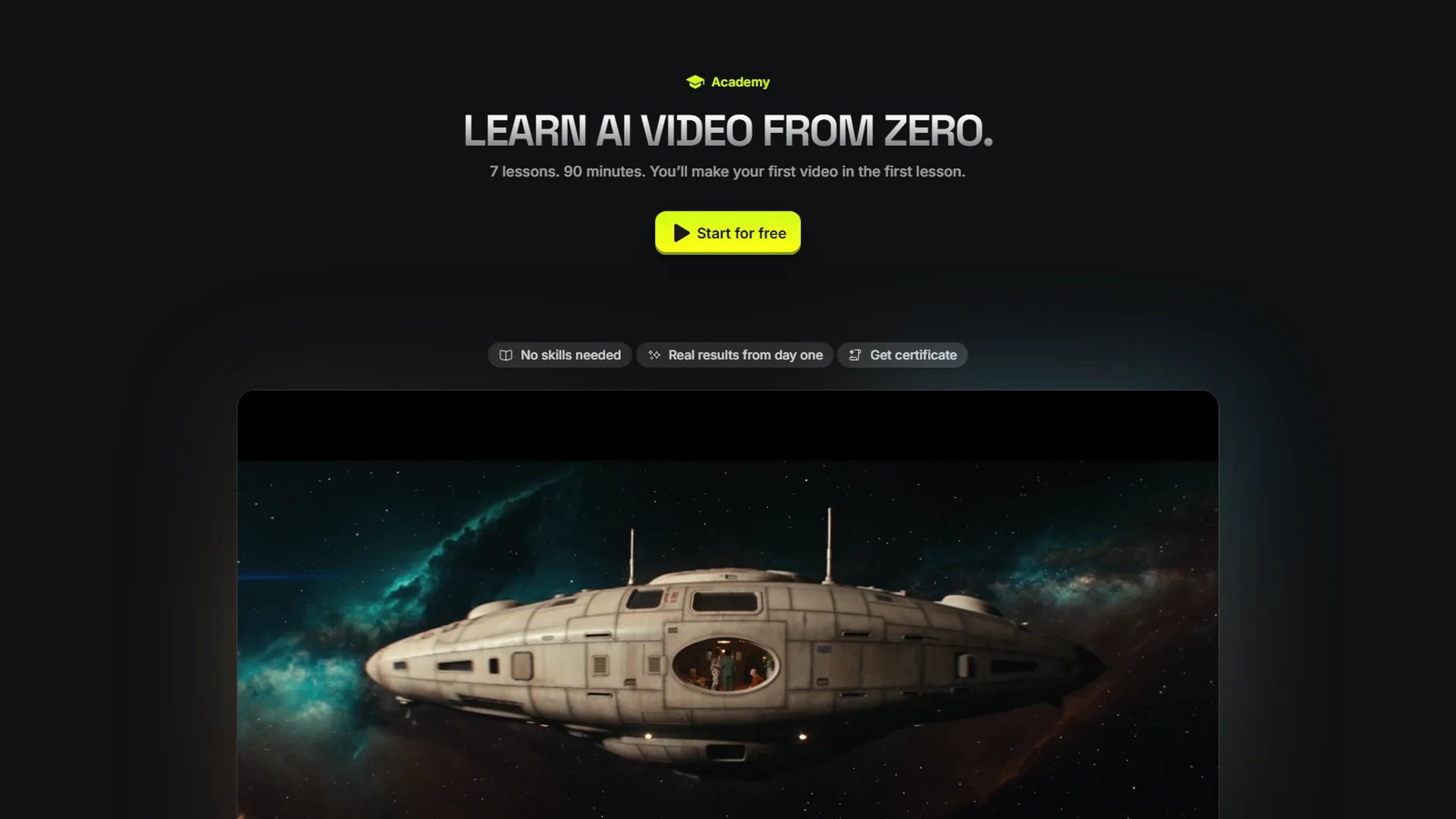
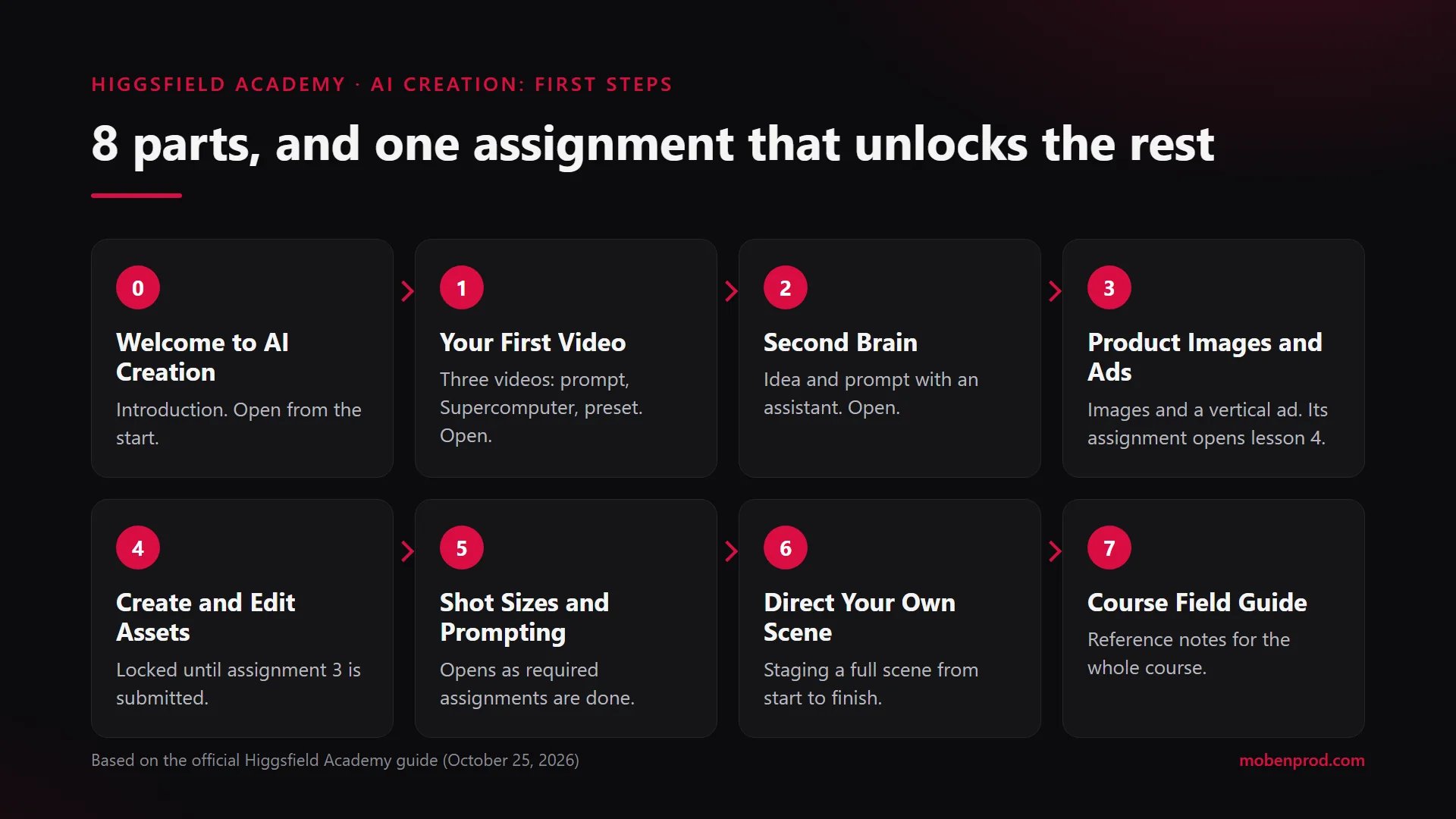
According to Higgsfield’s official guide published on October 25, 2026, the course runs 1 hour 42 minutes in total across eight parts. The Academy home page says “7 lessons. 90 minutes.” instead: plan for one and a half to two hours of video, not counting the exercises.
- Introduction, Welcome to AI Creation: an overview of the course.
- Lesson 1, Your First Video: first videos from a prompt, from Supercomputer and from presets.
- Lesson 2, Second Brain: developing an idea and a prompt with an assistant.
- Lesson 3, Product Images and Ads: product images and video ads.
- Lesson 4, Create and Edit Assets: creating and editing the visual assets of a project.
- Lesson 5, Shot Sizes and Prompting: shot sizes and steering the result through the prompt.
- Lesson 6, Direct Your Own Scene: staging a scene from start to finish.
- Lesson 7, Course Field Guide: reference material for the whole course.
Each lesson comes with its PDF guide. Some include extra files: lesson 3, for example, has a skill file and a ZIP of assets.

How do homework and lesson unlocking work?
This is the point the reel stresses, and it is worth understanding before you start.
- The introduction and lessons 1 to 3 are open from the start.
- Lessons 4 to 7 open as required assignments are completed. The lesson 3 assignment opens lesson 4. The first two assignments count as extra practice.
- Assignments use your own generations from the last three days, and each generation can be submitted only once.
- Homework is not graded. It is only used to unlock what comes next.
In practice, the lesson 1 assignment asks for three videos: one from a simple prompt, one with Supercomputer, one with a preset and your own photo. Lesson 2 asks for a 15-second video from your own idea, through Supercomputer. Lesson 3 asks for three campaign images and one vertical video ad for a product, in a single location, with the product photo as the reference.
When you finish, the course gives you a Certificate of Completion, the “Foundation” achievement and a “Creator Drop”. These rewards only apply to this starter course.
Is the course really free?
The course itself has no separate fee and the certificate is free. But practice needs an active subscription and credits, as Higgsfield states clearly. And since the lesson 3 assignment opens lesson 4, no generations means no next lessons.
“There is no separate course fee, but completing the required homework needs an active Higgsfield subscription and credits.” Higgsfield, Academy guide, October 25, 2026
To give an idea of prices: on October 29, 2026, the Pricing page showed for example the Basic plan at $9 a month for 120 credits, and the Pro plan at $43 a month for 900 credits ($23 a month billed annually when I checked), excluding VAT. A one-time $3 access gave 40 credits. These prices change often, with promotions: check the page on the day you pay.
Another useful detail from the help center: subscription credits reset at each renewal and do not roll over. Whatever you have not used by the renewal date is lost.
How do you stop wasting credits on tests?
Here is the routine I use. The credit rules come from Higgsfield’s official help pages, the rest comes from my own practice.
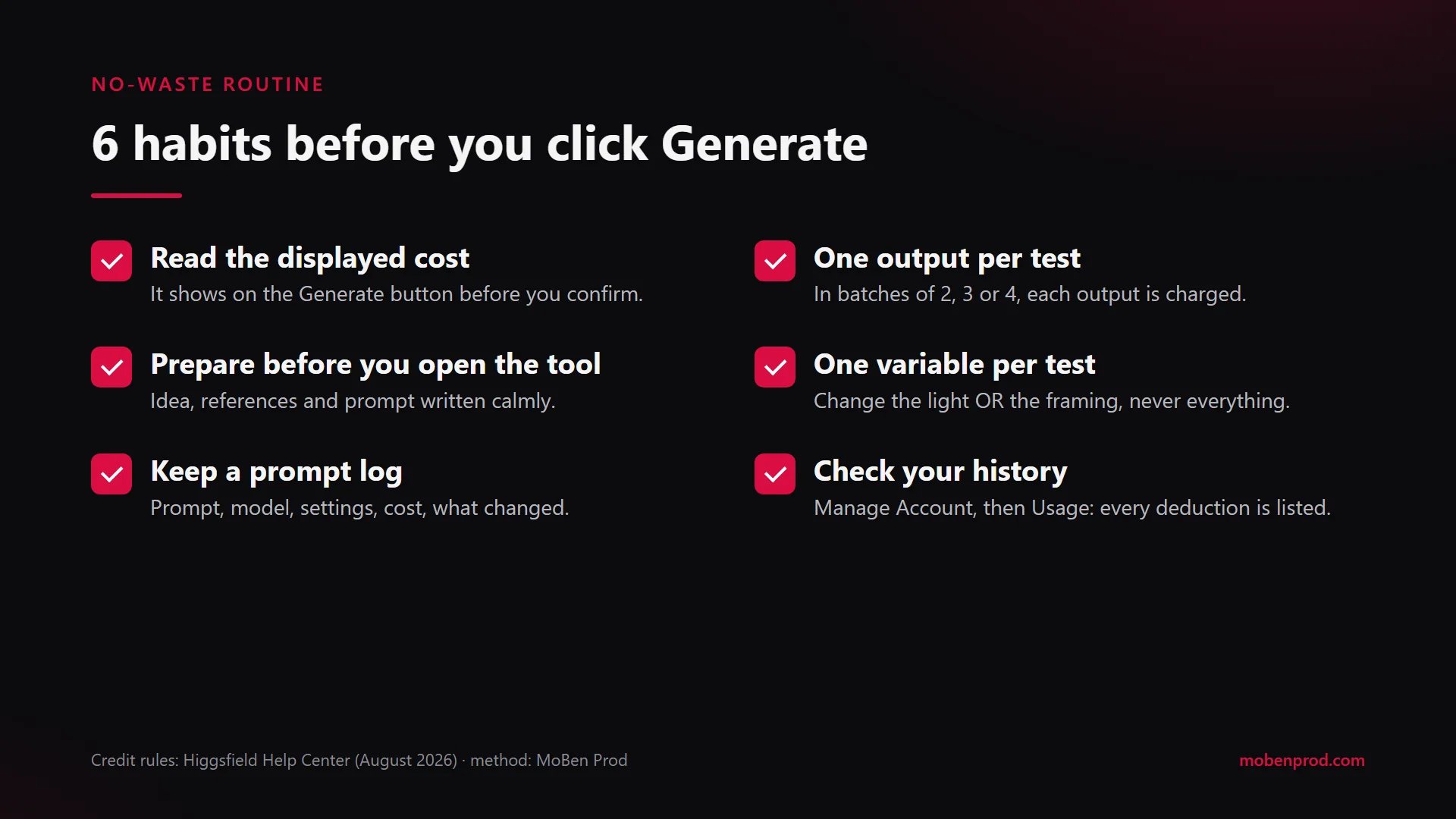
- Prepare before you open the tool. Write the idea in one sentence, then the shot: subject, action, framing, light, mood. Gather your references (product photo, face, setting) in one folder. Higgsfield’s guide on prompt mistakes puts it its own way: most failures come from a detail left for the model to invent.
- Read the cost before you confirm. It depends on the model, the resolution and the duration, and it is shown on the Generate button before you confirm.
- One output per test. If you set the batch size to 2, 3 or 4, each output is charged.
- Test short, finish long. Validate framing and movement on a short test, and only move to the final length and resolution once the idea works. The cost on the button shows you the difference.
- One variable per test. Change the light or the framing, never everything at once. Otherwise you won’t know what improved, or broke, the result.
- Keep a prompt log. A simple table: date, prompt, model, settings, cost, what changed, verdict. After a week, it is your best lesson.
- Check where your credits go. In Manage Account, then Usage, the history lists every deduction with the model and the time. According to the help center, most failed generations are refunded automatically.
- Watch out for tools outside the website. Unlimited generations and free generations only apply on higgsfield.ai. Through MCP, CLI, Canvas or Supercomputer, credits are always deducted. And the lesson 1 and 2 assignments use Supercomputer.
What other official resources can you use to learn AI video?
If you want to compare approaches, these resources are published by the companies themselves. I checked them on October 29, 2026.
Courses and tutorials
- Runway Academy: courses in modules (advertising, visual effects, character animation) with free enrolment, tutorials and a prompt guide on camera movements.
- Luma’s Dream Machine Learning Hub: step-by-step guides for Dream Machine on the web and on iOS.
- The Higgsfield help center: how credits, plans and tools work, alongside the guides on the blog.
Prompt guides
- Google Cloud’s prompting guide for Veo 3.1, published on October 16, 2025: a method for writing video prompts shot by shot.
- Google DeepMind’s Veo prompt guide: what to think about when writing a prompt.
- The Midjourney documentation: useful for preparing reference images before animating them.
Editing basics
- Blackmagic Design’s DaVinci Resolve training: training videos on editing, colour, sound and delivery. A generated clip is still raw material to edit.
I have already compared learning to edit with these new tools in Learning video editing and motion design in the AI era, and covered Higgsfield Content Factory, which turns one idea into a complete video.
Frequently asked questions
How long does it take to finish AI Creation: First Steps?
The videos run 1 hour 42 minutes according to the official guide, while the home page says 90 minutes. Add the homework time: several videos and images to generate, then submit.
Can you follow the course without a subscription?
You can start, but the homework needs an active subscription and credits, and the lesson 3 assignment opens lesson 4. Without practice, you won’t get to the end.
Is the homework graded?
No. Higgsfield states that it is not graded: it is used to unlock the next lessons.
Do unused credits roll over to the next month?
Not subscription credits: they reset at each renewal. Credits bought in packs expire 90 days after purchase, according to the help center.
Would you rather hand production to someone who already knows these tools and editing? I make Reels and short-form content for brands. Let’s talk about your project.
Go further